Category: Blog

Your blog category

  • How to Remove a URL from Google (Temporary and Permanent)

    How to Remove a URL from Google (Temporary and Permanent)

    Google Search Console · Removals

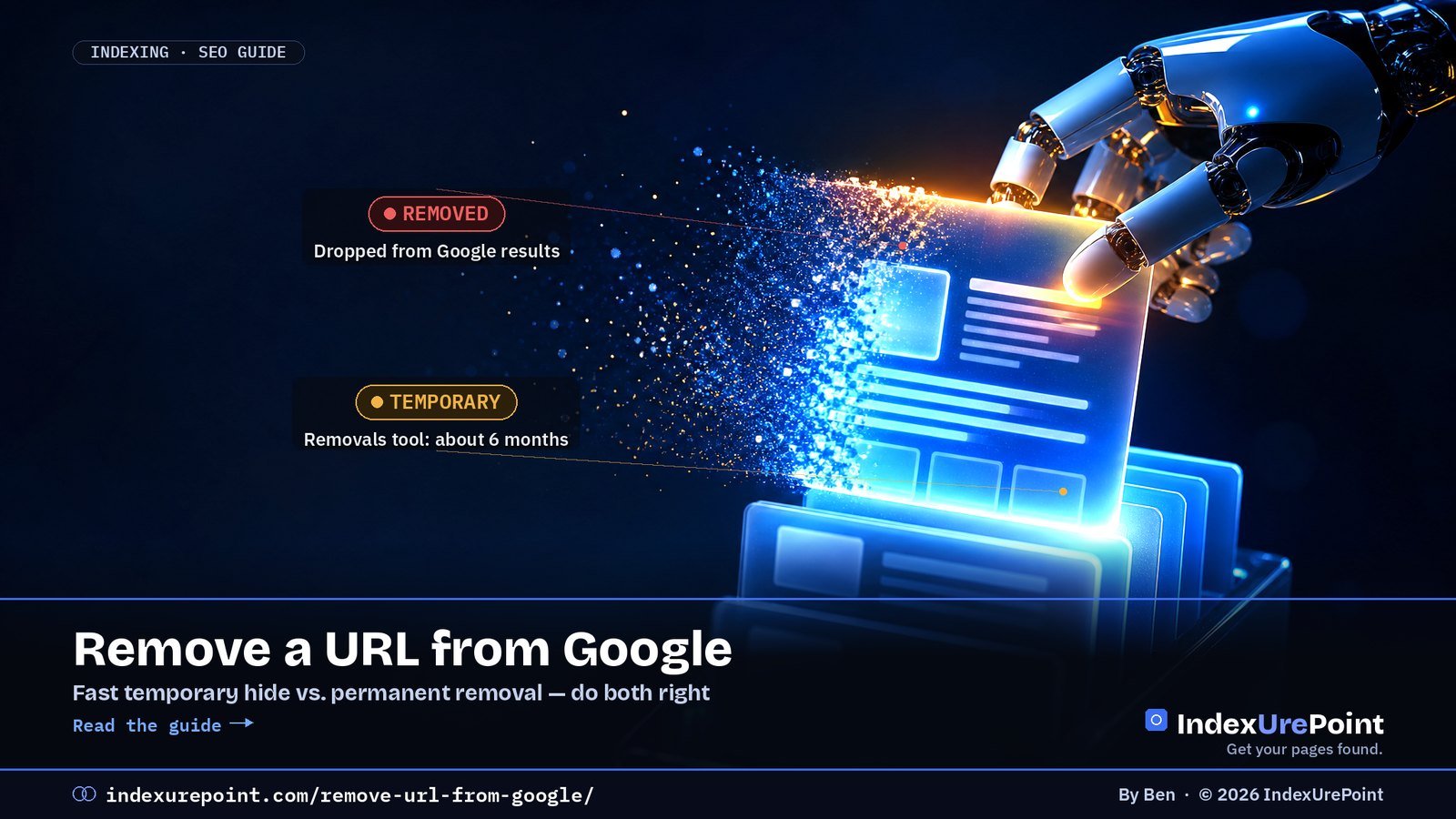
    To remove a URL from Google permanently, change the page itself — 404/410, noindex, or a login — and use Search Console’s Removals tool only as the fast, temporary hide (about six months) while the permanent fix takes effect.

    Key takeaways
    • The Removals tool hides, it does not delete: without a permanent fix the URL can return after ~6 months.
    • Never “remove” with robots.txt: blocking crawl can leave a bare URL stuck in the index.
    • For pages that must stay live but unlisted: allow crawling + noindex, then let Google recrawl.
    • For other people’s outdated pages, use Google’s Refresh Outdated Content tool.
    • Removals act within about a day; permanent drops follow the next crawl (days to weeks).
    How this was checked. Written against Google’s documentation on the Removals tool, the noindex directive and the Refresh Outdated Content tool.
    Short answer

    To remove a URL from Google permanently, change the page itself: delete it (return 404 or 410), add noindex, or put it behind a login. Google drops it the next time it crawls.

    To hide it fast while that happens, use the Removals tool in Search Console. But that hide is temporary — about six months — so it only works together with a permanent fix.

    Pick the right method

    • Page is gone for good: delete it and return 404 or 410. Remove it from your sitemap.
    • Page should exist but not in Google: add a noindex meta tag or X-Robots-Tag header — and make sure it’s not blocked in robots.txt, or Google can’t see the noindex. See noindex.
    • Private content: put it behind a login or password. Google can’t index what it can’t access.
    • Page moved: 301-redirect it to the new URL instead of removing it.
    REMOVALS TOOL

    Fast but temporary

    Effect: hides the URL from results for about six months. Doesn’t change the page.

    404 / NOINDEX

    Slower but permanent

    Effect: Google drops the URL after recrawling and doesn’t bring it back.

    Goal Method Speed Permanent?
    Page gone for good 404/410 + out of sitemap Next crawl Yes
    Live page, out of Google noindex (crawlable!) Next crawl Yes, while tag stays
    Hide something fast Removals tool + a fix above ~1 day No — ~6 months
    Someone else’s outdated result Refresh Outdated Content Days Follows the source

    Using the Removals tool

    • In Search Console, open Indexing → Removals → New request.
    • Enter the exact URL, or choose “Remove all URLs with this prefix” for a whole folder.
    • Choose Temporarily remove URL (hides it and clears the cached snippet) or Clear cached URL (keeps it in results but refreshes the snippet).
    • At the same time, apply a permanent fix from the list above.
    Our take
    Don’t use robots.txt to remove pages. Blocking crawling can leave the URL in the index with no description — the opposite of what you want. See blocked by robots.txt.

    When it’s not your site

    You can’t remove other people’s pages, but you can ask Google to refresh them. If a page has already changed or been deleted but Google still shows the old version, use Google’s Refresh Outdated Content tool. For personal information or legal issues, Google has separate removal request forms.

    A worked example

    Say you published a page with a customer’s name in it by mistake at /case-study-acme/, and it’s already indexed. The right order: first edit or unpublish the page — in WordPress, setting it to draft makes the URL return 404. Then open Search Console → Removals → New request, paste the exact URL and choose Temporarily remove URL. Within about a day the result disappears. Because the URL now returns 404, Google drops it permanently on the next crawl, and the six-month clock on the temporary hide stops mattering. If the page had to stay online without the sensitive part, you would instead edit the content and use Clear cached URL so the old snippet stops showing while the fresh version takes over.

    Removing files, not pages? PDFs and images can’t hold a meta tag. Use the X-Robots-Tag header to noindex them.

    FAQ

    How long does it take to remove a URL from Google?

    A Removals request usually takes effect within a day. A permanent removal via 404 or noindex takes effect when Google next crawls the page, which can take days to weeks.

    What happens after six months?

    The temporary removal expires. If the page is still live and indexable, it can come back. That’s why you need a permanent fix too.

    Should I use 404 or 410?

    Both work. 410 says “gone on purpose”; Google treats both as not found and drops the page.

    Does removing a URL affect the rest of my site?

    No. It only affects the URLs you remove. Just check you’re not accidentally removing a whole prefix.

    Can I remove my whole site from Google?

    Yes: a site-wide noindex, password protection, or a prefix Removals request covering the whole domain plus a permanent method. Most partial cases are better served per URL.

    Someone copied my removed page. Can I remove theirs?

    Not via your Search Console. Use Google’s legal removal or outdated-content processes, or approach the site owner directly.

    iP
    IndexUrePoint is an independent guide to getting your pages found and indexed — Google, Bing, and AI search. We test tools ourselves and say plainly when something doesn’t work. Spotted an error? Tell us via the contact page; we’ll fix it and note the date.

  • AI Crawlers and robots.txt: GPTBot, ClaudeBot and Google-Extended

    AI Crawlers and robots.txt: GPTBot, ClaudeBot and Google-Extended

    Lees deze gids in het Nederlands →

    AI Search · robots.txt

    AI companies run different crawlers for different jobs — training, search and user-initiated fetching — and robots.txt lets you allow or block each one separately: allow the search bots if you want citations, decide deliberately about the training bots.

    Key takeaways
    • Three roles per company: training (GPTBot, ClaudeBot), search (OAI-SearchBot, Claude-SearchBot, PerplexityBot) and user-fetch (ChatGPT-User, Claude-User).
    • Since OpenAI’s December 2025 documentation change, ChatGPT-User may not honour robots.txt — it acts as a proxy for a human request.
    • Google-Extended controls Gemini training and grounding in Gemini Apps and Vertex AI; Google states it is not a ranking signal and does not affect Search inclusion.
    • Blocking all AI bots also blocks AI search: you disappear from the answers, not just from training data.
    • robots.txt is a request, not a lock — documented crawlers comply, unknown scrapers may not.
    How this was checked. Written against Google’s documentation on its crawlers and Google-Extended, OpenAI’s crawler documentation (including its December 2025 revision), and the published user agents of Anthropic, Perplexity and Apple. Crawler lists change; we note the date.
    Short answer

    AI companies use different crawlers for different jobs: some collect training data, some fetch pages for AI search answers, some act on behalf of a user. You can allow or block each one separately in robots.txt.

    The smart default for most sites: allow the search crawlers (so you can be cited in AI answers), and decide deliberately about the training crawlers. Blocking everything also blocks you from AI search.

    The main AI crawlers (September 2026)

    • OpenAI: GPTBot collects training data. OAI-SearchBot surfaces sites in ChatGPT search. ChatGPT-User fetches pages when a user asks — and since OpenAI’s December 2025 documentation change, robots.txt rules may not apply to it.
    • Anthropic: ClaudeBot for training, Claude-SearchBot for search, Claude-User for user-initiated fetches.
    • Perplexity: PerplexityBot for its search index, Perplexity-User for user requests.
    • Google: Google-Extended (a control token, not a separate crawler) for Gemini training and grounding in Gemini Apps and Vertex AI.
    • Apple: Applebot-Extended controls use of content for Apple’s AI training.
    SEARCH CRAWLERS

    Usually allow

    Why: they decide whether you can be found and cited in AI answers.

    TRAINING CRAWLERS

    Your call

    Why: blocking them keeps your content out of future model training, with less direct effect on visibility.

    Crawler Company Role Blocking costs you
    GPTBot OpenAI Training Little visibility; keeps data out of models
    OAI-SearchBot OpenAI ChatGPT search ChatGPT citations
    ClaudeBot / Claude-SearchBot Anthropic Training / search Same split as OpenAI
    PerplexityBot Perplexity Search index Perplexity citations
    Google-Extended Google Gemini training token Nothing in Search
    Applebot-Extended Apple AI training control Nothing in Search

    Google-Extended explained

    Google-Extended controls whether content Google crawls may be used to train future Gemini models and for grounding in Gemini Apps and Vertex AI. Google states it does not affect your inclusion in Google Search and isn’t a ranking signal. AI Overviews are part of Search and rely on Googlebot, so blocking Google-Extended doesn’t take you out of them — see what is Googlebot. Since 31 August 2026 there is a separate switch for that: the Search generative AI control in Search Console lets you leave AI Overviews and AI Mode while staying in normal results — see AI Overviews in Search Console.

    Example robots.txt rules

    Allow AI search, block AI training:

    User-agent: GPTBot
    Disallow: /

    User-agent: ClaudeBot
    Disallow: /

    User-agent: Google-Extended
    Disallow: /

    User-agent: Applebot-Extended
    Disallow: /

    Search crawlers such as OAI-SearchBot, Claude-SearchBot and PerplexityBot are allowed by default when you don’t list them. Test any change in Search Console’s robots.txt report, and remember that robots.txt is a request, not a lock — see blocked by robots.txt.

    Our take
    IndexUrePoint allows all AI crawlers: we want to be cited. If you publish original work that’s your product — research, paid content — blocking training crawlers can make sense. Blocking AI search crawlers almost never does.

    What about llms.txt? It doesn’t allow or block anything — it only suggests which pages matter to AI agents. See what is llms.txt for who actually reads it.

    Real data from this site. Our host’s AI crawler log for 24 hours on 25 September 2026 showed 21 requests from known AI crawlers — 17 from GoogleOther and 4 from OAI-SearchBot — and none blocked. Testing with faked crawler user agents gave a very different (and misleading) picture; we explain why in our 403 guide.

    Check before you publish. Our free robots.txt tester shows in one click whether GPTBot, ClaudeBot, PerplexityBot and Googlebot are allowed or blocked by your rules.

    FAQ

    Does blocking GPTBot remove me from ChatGPT search?

    Not by itself. ChatGPT search uses OAI-SearchBot, which is controlled separately from GPTBot, OpenAI’s training crawler.

    Does blocking Google-Extended hurt my Google rankings?

    No. Google states Google-Extended does not affect inclusion in Search and is not a ranking signal.

    Do all AI bots respect robots.txt?

    The major companies’ documented crawlers do. User-initiated agents such as ChatGPT-User may not follow robots.txt in the same way, and unknown scrapers can ignore it entirely.

    How do I see which AI bots visit my site?

    Check your server logs or your CDN’s bot analytics for the user agents listed above.

    How do I write a robots.txt rule for one AI bot?

    Add a User-agent line with the bot’s exact name followed by Disallow: / to block it site-wide, or Disallow: /private/ for one section. List each bot separately.

    Do AI crawlers visit small sites at all?

    Yes. Server logs on modest sites routinely show GPTBot, ClaudeBot and PerplexityBot; volume scales with how often your content is referenced.

    iP
    IndexUrePoint is an independent guide to getting your pages found and indexed — Google, Bing, and AI search. We test tools ourselves and say plainly when something doesn’t work. Spotted an error? Tell us via the contact page; we’ll fix it and note the date.

  • Orphan Pages: What They Are and How to Fix Them

    Orphan Pages: What They Are and How to Fix Them

    Crawling · Internal links

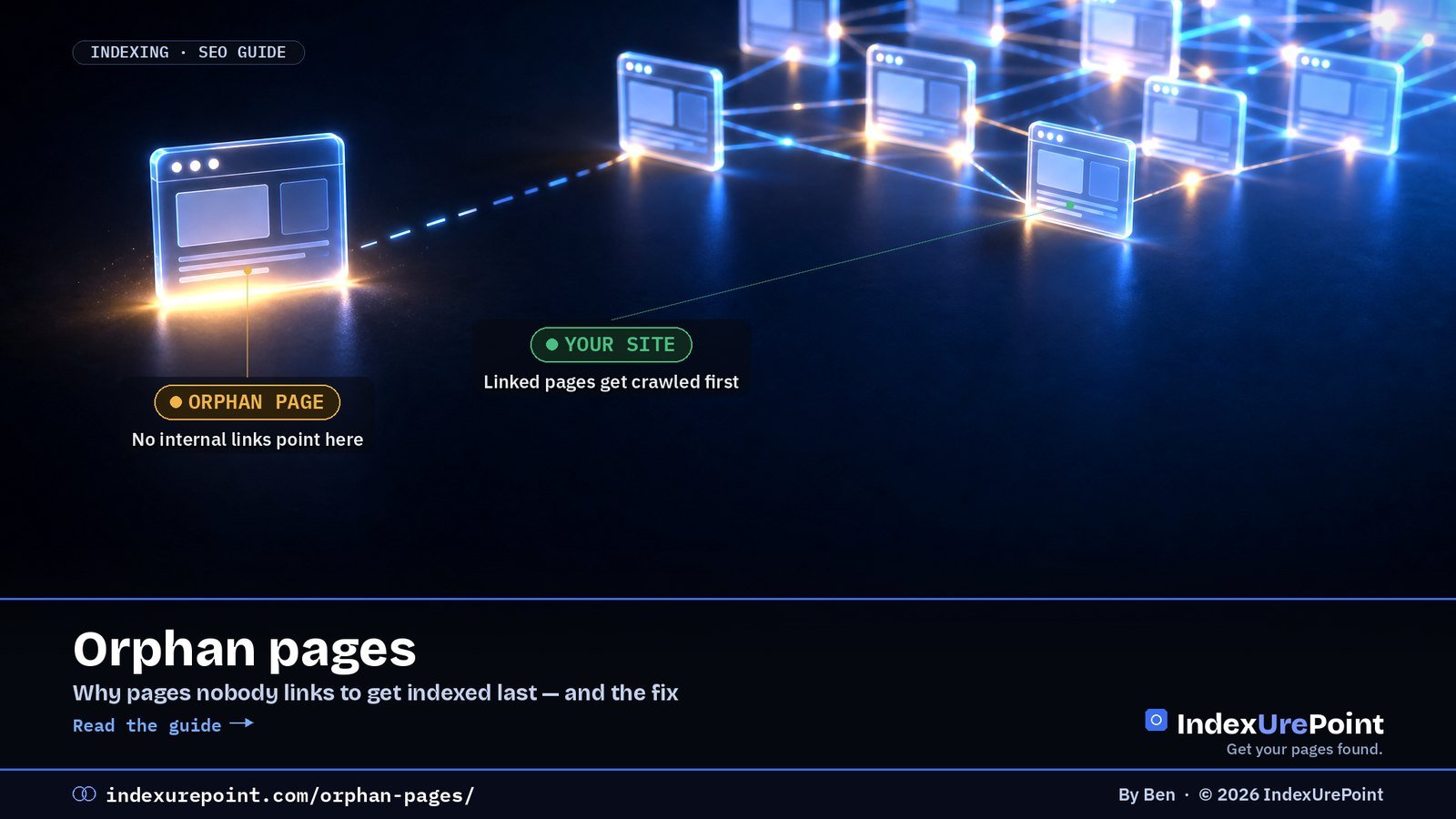
    An orphan page is a page no other page on your site links to: visitors cannot click their way there, search engines find it late through the sitemap at best, and it typically indexes last — the fix is simply linking to it.

    Key takeaways
    • Internal links are importance signals; a page with none looks dispensable even when the content is strong.
    • Orphans are a classic driver of “Discovered – currently not indexed”: known URL, never prioritised.
    • Find them by comparing your sitemap URL list with a crawl that follows links from the homepage.
    • A sitemap alone is discovery, not endorsement — it does not replace links.
    • Rule of thumb: every new page launches with at least one contextual link from an indexed page.
    How this was checked. Written against Google’s guidance on links and crawling.
    Short answer

    An orphan page is a page on your site that no other page links to. Visitors can’t click their way to it, and search engines can only find it through your sitemap or an outside link — so it’s often crawled late and indexed last.

    The fix is simple: link to it from relevant, already-indexed pages — or, if it’s not worth linking to, remove or redirect it.

    Why orphan pages hurt

    LINKED PAGE

    Easy to find

    Signals: crawled regularly, receives link value, clearly part of the site.

    ORPHAN PAGE

    Out on its own

    Signals: low priority, little link value, often stuck in Discovered – currently not indexed.

    Internal links tell Google what matters on your site. A page nothing links to looks unimportant, even if it’s your best work.

    How to find orphan pages

    • Compare two lists: all URLs in your XML sitemap versus all URLs a crawler finds by following links from your homepage. URLs in the first list but not the second are orphans.
    • Use a site crawler such as Screaming Frog, Sitebulb or Bing Webmaster Tools’ Site Scan, and connect it to your sitemap or Search Console data where supported.
    • Check Search Console: pages with impressions or in the indexing report that your crawl never reached.
    • Common culprits: old landing pages, pages removed from menus, tag pages, and posts only reachable through paginated archives.
    Orphan found Verdict Action
    Good page, just unlinked Keep 2–3 contextual links from related pages
    Outdated or duplicate Merge Consolidate + 301 to the stronger page
    Obsolete, no equivalent Remove 404/410 + drop from sitemap
    Utility page (thanks, filters) Exclude noindex; no links needed

    How to fix them

    • Worth keeping? Add contextual links from two or three related, indexed pages, and consider a hub or category page that links to the whole topic.
    • Outdated or duplicate? Merge it into a stronger page and 301-redirect it — see page with redirect.
    • Not needed at all? Delete it, return a 404 or 410, and remove it from the sitemap.
    Our take
    Every new page should launch with at least one link from an existing, indexed page. It’s the single most reliable way to speed up indexing — more reliable than any submit button.

    A worked example

    A typical case from our own audits: a site moves to a new menu, and twelve older guides drop out of it. They stay in the sitemap, so Search Console still knows them — but months later most sit in “Discovered – currently not indexed” or have slid down the rankings. The repair took an afternoon: each old guide got two contextual links from the newer articles that superseded parts of it, plus a place on a topic hub page. Within weeks the majority were recrawled. The lesson is that orphaning rarely happens on purpose; it happens when navigation changes and nobody checks what fell out. Make “what stopped being linked?” a standard question after every redesign.

    FAQ

    Can orphan pages still be indexed?

    Yes, if Google finds them through your sitemap or external links. But they tend to be crawled less often and are more likely to be left out.

    Is a sitemap enough to avoid orphan pages?

    No. A sitemap helps discovery, but it doesn’t give the page the importance signals that internal links do.

    How many internal links does a page need?

    There’s no magic number. A few relevant links from strong, related pages matter more than many links from unrelated ones.

    Do links in the footer or sidebar count?

    They help discovery, but contextual links in the main content are clearer signals of relevance.

    Are orphan pages bad for SEO overall?

    They dilute crawl attention and leave value stranded, but they are not a penalty. Each one is either a linking opportunity or cleanup.

    Can external backlinks save an orphan page?

    They help discovery and authority, but internal links remain the signal that the page belongs to your site’s structure. Do both.

    iP
    IndexUrePoint is an independent guide to getting your pages found and indexed — Google, Bing, and AI search. We test tools ourselves and say plainly when something doesn’t work. Spotted an error? Tell us via the contact page; we’ll fix it and note the date.

  • AEO vs GEO: Answer Engine Optimization Explained

    AEO vs GEO: Answer Engine Optimization Explained

    AI Search · AEO · GEO

    AEO (answer engine optimization) and GEO (generative engine optimization) are two names for the same goal: getting your content used and cited in AI-generated answers — and the foundation under both is ordinary indexing.

    Key takeaways
    • AEO is the older, broader term; GEO stresses generative AI. The practical work is identical.
    • US search demand: “answer engine optimization” ~2,400/mo and rising; “generative engine optimization” ~4,400/mo but falling (DataForSEO, Sept 2026).
    • Bing matters disproportionately: 87% of ChatGPT search citations matched Bing’s top results in Seer’s 100-query study.
    • The core levers: direct answers up front, specifics over adjectives, visible authorship, clean schema, and letting AI search crawlers in.
    • Beware “secret GEO tactics” sellers: the measurable levers are ordinary SEO with sharper answers.
    How this was checked. Written against Google’s guidance on AI features in Search and our own work making this site citable in AI answers. The terminology is new and loosely used; we say where definitions differ.
    Short answer

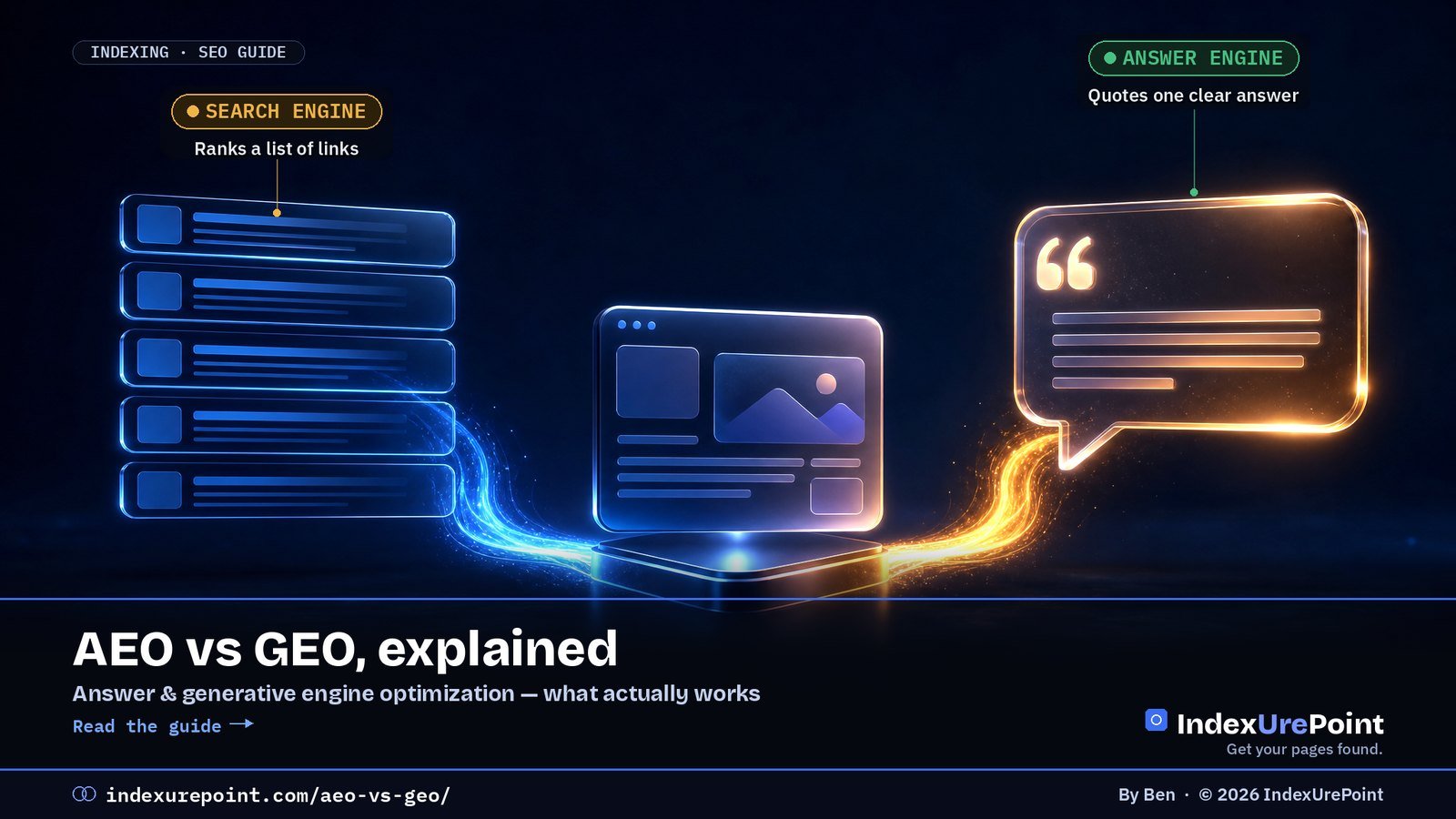
    AEO (answer engine optimization) and GEO (generative engine optimization) are two names for the same goal: getting your content picked up and cited in AI-generated answers — Google AI Overviews, ChatGPT, Perplexity, Copilot.

    AEO is the older term (from featured snippets and voice assistants); GEO emphasises generative AI. In practice the work is identical: be indexed, answer questions directly, and be trustworthy enough to quote.

    AEO vs GEO vs SEO

    AEO

    Answer engine optimization

    Focus: being the answer — featured snippets, voice assistants, and now AI answers.

    GEO

    Generative engine optimization

    Focus: being cited or mentioned by large language models in generated answers.

    SEO is the foundation under both. AI answers are built on pages that search engines have already crawled and indexed; if you’re not indexed, no amount of AEO or GEO helps. That’s why this site treats getting indexed as step zero.

    SEO AEO / GEO
    Goal Rank a page in results Be the quoted answer
    Unit of success Position & clicks Citations & mentions
    Key structure Titles, headings, links Question H2s + first-two-sentence answers
    Measurement GSC Performance Bing AI Performance, AI referrals, spot checks
    Foundation Crawled, indexed, trustworthy pages

    What the work actually is

    • Be indexed in Google and Bing. Google’s AI Overviews build on Google’s index; Microsoft Copilot builds on Bing. Set up Bing Webmaster Tools and IndexNow, not just Search Console.
    • Answer first. Put the direct answer in the first two sentences under a question-style heading. Models lift clear, self-contained sentences.
    • Be specific. Concrete steps, named tools, exact labels and sourced facts are more quotable than generalities.
    • Show who’s behind it. A consistent brand, a clear about page and first-hand experience signal trust.
    • Use clean structured data. Article and FAQ schema help machines parse the page.
    • Let the right crawlers in. Blocking AI search crawlers opts you out of their answers — see AI crawlers and robots.txt.
    Our take
    Be wary of anyone selling AEO or GEO as a separate discipline with secret tactics. The practical difference from good SEO is emphasis: clearer answers, more specifics, and making sure Bing — not just Google — can index you. Our deeper playbook: how to get cited in AI search.

    How to measure it

    • Bing Webmaster Tools → AI Performance (beta) shows visibility in Microsoft’s AI experiences.
    • Google Search Console includes AI Overview appearances in the regular Performance data, without a separate filter.
    • Referral traffic from chatgpt.com, perplexity.ai and copilot in your analytics shows real visits from AI answers.
    • Manual spot checks: ask the assistants your target questions and note whether you’re cited.

    Where to measure it. For Google, the Generative AI report in Search Console shows impressions in AI Overviews and AI Mode: how to read it.

    FAQ

    Is AEO the same as GEO?

    In practice, yes. Both aim to get your content used in AI-generated answers. AEO is the older, broader term; GEO focuses on generative AI specifically.

    Does AEO replace SEO?

    No. AI answers depend on crawled and indexed pages, so SEO remains the foundation. AEO and GEO shift the emphasis toward direct, quotable answers.

    Do I need llms.txt for GEO?

    It’s optional. llms.txt is a proposed file listing your key content for AI tools; it’s cheap to add, but no major assistant has confirmed it as a ranking factor.

    How long does it take to get cited in AI answers?

    Once a page is indexed and clearly answers a question, it can be cited quickly — but citations fluctuate. Consistent, specific, trustworthy content is what keeps you there.

    Which term should I use, AEO or GEO?

    They describe the same practice. AEO predates generative AI (featured snippets, voice); GEO arrived with LLM answers. Search data shows AEO rising and GEO falling as the label.

    Can a brand-new site get cited in AI answers?

    Yes, once indexed — assistants favour clear, specific, current answers, and small sites that publish them do get cited. Indexing speed is usually the bottleneck.

    iP
    IndexUrePoint is an independent guide to getting your pages found and indexed — Google, Bing, and AI search. We test tools ourselves and say plainly when something doesn’t work. Spotted an error? Tell us via the contact page; we’ll fix it and note the date.

  • The Google Indexing API: What It Is and Why Not to Misuse It

    The Google Indexing API: What It Is and Why Not to Misuse It

    Google · Indexing API

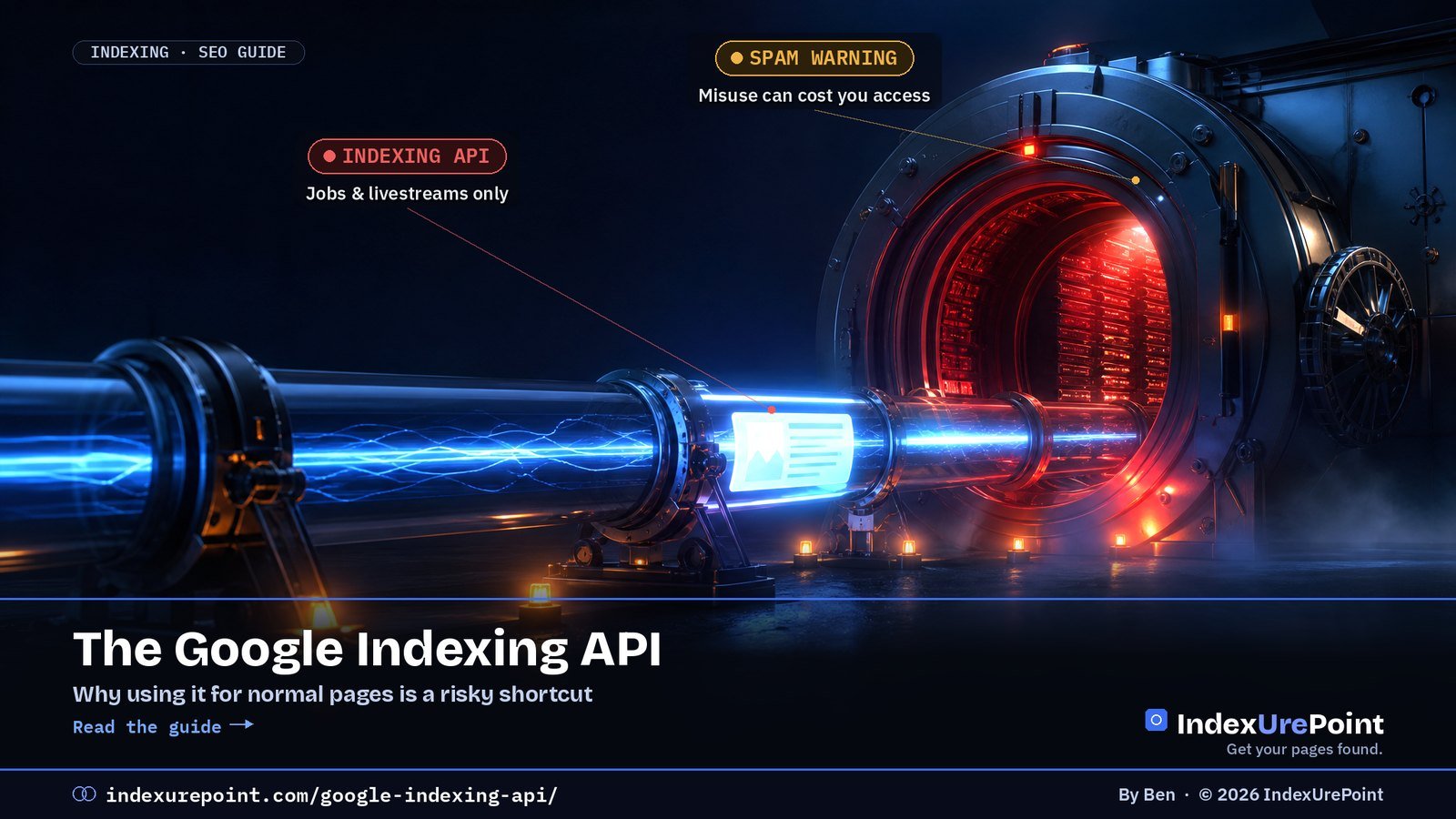
    The Google Indexing API lets a site tell Google directly that a page was added or removed — but officially only for JobPosting and livestream pages, and Google has attached an explicit spam warning for everything else.

    Key takeaways
    • Documented scope: JobPosting and BroadcastEvent pages only; ordinary posts are outside the rules.
    • It tempts because it works short-term: one r/TechSEO test (reviewed via our NotebookLM source analysis) saw 94% of API-pinged pages indexed within 48 hours versus 8.4% via the sitemap.
    • A crawl is not an index entry: pages Google judged thin stay out however often you ping.
    • Documented consequence of abuse: revoked API access; the deeper cost is not fixing why pages are declined.
    • The legitimate push protocol is IndexNow — for Bing and friends, not Google.
    How this was checked. Written against Google’s Indexing API documentation, including its usage guidelines and spam warning.
    Short answer

    The Google Indexing API lets a site notify Google directly when a page is added or removed. Officially, it’s only for pages with JobPosting or BroadcastEvent (livestream) structured data.

    Plenty of plugins and guides use it for ordinary blog posts. It can seem to work for a while, but it’s outside Google’s rules, Google has added an explicit spam warning, and it doesn’t fix the real reason pages aren’t indexed.

    What the Indexing API does

    It’s a programmatic way to tell Google “this URL was updated” or “this URL was deleted”, authenticated with a Google Cloud service account that’s an owner of your Search Console property. For job boards and livestream pages — content that changes or expires quickly — it gets Google to crawl sooner than a sitemap would.

    INTENDED USE

    Jobs & livestreams

    Pages with: JobPosting or BroadcastEvent embedded in a VideoObject. Short-lived content.

    COMMON MISUSE

    Everything else

    Pages like: blog posts, product pages, backlinks pushed through the API to “force” indexing.

    Indexing API (Google) IndexNow (Bing e.a.)
    Allowed content Job postings, livestreams Any page
    Engines Google Bing, Yandex, Naver, Seznam, Yep, Amazon
    Misuse risk Spam warning, access revoked None when used as intended
    Setup Cloud project + service account One plugin / key file

    Why people misuse it

    Because it sometimes triggers a fast crawl. Tutorials and “instant indexing” plugins spread the trick, and some paid indexing services are built on it. For a site owner watching pages sit in Discovered – currently not indexed, it’s tempting.

    The risk

    • It’s against the documented use. Google states the API is for job posting and livestream pages only.
    • Google added a spam warning. The documentation warns that abuse, including using multiple accounts or other means to exceed quotas, may lead to access being revoked.
    • A crawl isn’t indexing. Even when the API triggers a crawl, Google still decides whether the page is worth keeping. A page Google rejected for quality stays rejected.
    Our take
    If a page needs a back door to get indexed, the page — or the site’s trust — isn’t there yet. Fix the cause instead of gambling with a shortcut Google has explicitly warned about.

    What to do instead

    • Submit a clean sitemap and request indexing for key pages in Search Console — see how to submit your website to Google.
    • Link new pages from strong, already-indexed pages.
    • Use IndexNow for Bing — the legitimate, open “push” protocol. Google doesn’t support it, but Bing and others do: what is IndexNow.
    • Make the page worth keeping. Unique, useful content is what turns a crawl into an index entry.

    FAQ

    Can I use the Google Indexing API for blog posts?

    Not according to Google. The API is documented for JobPosting and BroadcastEvent pages only; using it for other content is outside the guidelines.

    What is the Indexing API quota?

    Each project gets a default daily quota for publish requests, visible in Google Cloud. Google warns against trying to exceed quotas with multiple accounts.

    Will Google penalise my site for using it?

    Google’s documented consequence is revoking API access. Beyond that, relying on it doesn’t address why pages aren’t indexed, which is the bigger problem.

    Is IndexNow the same as the Indexing API?

    No. IndexNow is an open protocol used by Bing, Yandex and others for any kind of page. Google doesn’t use IndexNow.

    Why do “instant indexing” plugins use the Indexing API?

    Because it can trigger a fast crawl. Speed is real; permission is not. The documented scope excludes normal posts, and Google warns against abuse.

    I used the Indexing API for blog posts. Should I worry?

    Stop using it for out-of-scope content and build the legitimate signals instead. Google’s documented sanction is revoking API access.

    iP
    IndexUrePoint is an independent guide to getting your pages found and indexed — Google, Bing, and AI search. We test tools ourselves and say plainly when something doesn’t work. Spotted an error? Tell us via the contact page; we’ll fix it and note the date.

  • What Is Googlebot? Smartphone, Image & Video Crawlers Explained

    What Is Googlebot? Smartphone, Image & Video Crawlers Explained

    Crawling · Googlebot

    Googlebot is Google’s web crawler: the program that discovers URLs, fetches your pages, renders them with an up-to-date Chrome engine and hands the result to Google’s indexing systems — if it cannot fetch or render a page, that page cannot rank.

    Key takeaways
    • “Googlebot” is two crawlers, Googlebot Smartphone and Googlebot Desktop, and most crawl requests come from the smartphone one. Both obey the same robots.txt token, so you cannot block one without the other.
    • For Google Search, Googlebot reads only the first 2 MB of an HTML or other supported file (64 MB for a PDF). The often-quoted 15 MB is the general default for all Google crawlers, not Googlebot’s Search limit.
    • Googlebot Image (Googlebot-Image/1.0) feeds Google Images, Discover and every Search feature that shows images, logos or favicons; Googlebot Video (Googlebot-Video/1.0) feeds video features.
    • Googlebot News has no user-agent string of its own: it crawls with the normal Googlebot user agents and only exists as a robots.txt token.
    • Anyone can fake the Googlebot user agent: verify with a reverse and forward DNS lookup, or against Google’s published IP-range files, before you block or whitelist.
    How this was checked. Every crawler fact on this page was re-read on 17 October 2026 in Google’s own documentation: Googlebot (last updated 3 February 2026), Google’s common crawlers (15 October 2026), verifying Google’s crawlers (20 March 2026) and reducing the crawl rate (6 October 2026).
    Short answer

    Googlebot is Google’s web crawler: the program that fetches pages so Google can index them. Today it mostly crawls as a smartphone, renders JavaScript with an up-to-date Chrome engine, and follows the rules in your robots.txt.

    Next to the main crawler, Googlebot Image and Googlebot Video fetch images and videos for their own Search features. If Googlebot can’t fetch or render a page, it can’t be indexed, so most “not indexed” problems start with checking what Googlebot actually sees.

    How does Googlebot work?

    • Discover. Googlebot finds URLs through links, sitemaps and previously known pages.
    • Crawl. It fetches the page, respecting robots.txt and adjusting its speed to how fast and healthy your server is.
    • Render. It runs the page’s JavaScript in an evergreen Chromium, so content loaded by scripts can be seen — if the scripts work for Googlebot.
    • Hand over for indexing. The rendered content goes to Google’s indexing systems, which decide whether to keep it.
    The 2 MB limit
    When crawling for Google Search, Googlebot crawls the first 2 MB of a supported file type and the first 64 MB of a PDF, measured uncompressed. Every CSS and JavaScript file is fetched separately under the same limit. Content beyond the cut-off is not indexed, so keep important text and links high in very long pages.

    What are Googlebot Smartphone and Googlebot Desktop?

    Googlebot is the generic name for two crawlers: Googlebot Smartphone, which simulates a user on a mobile device, and Googlebot Desktop, which simulates a desktop user. Google states that the majority of crawl requests are made with the mobile crawler and a minority with the desktop one, because Google indexes the mobile version of your site.

    Both crawlers obey the same robots.txt token, Googlebot. You cannot allow the smartphone crawler and block the desktop crawler, or the other way round. In URL Inspection, the “Crawled as” line tells you which one fetched the page; for most sites it says Googlebot smartphone.

    Mobile-first in practice
    If content, links or structured data exist only on the desktop version of a page, Google may not see them. Check the mobile rendering first when a page is missing from the index.

    What does Googlebot Image crawl?

    Googlebot Image fetches image files for Google Images and for every Search feature that shows a picture. Its user-agent string is Googlebot-Image/1.0, and it listens to the robots.txt tokens Googlebot-Image or, failing a specific group, Googlebot.

    Blocking it reaches further than most people expect. According to Google’s crawler list, it affects Google Images, Discover, Video mode and all features in Google Search where images, logos and favicons are shown. Block it on your whole site and your favicon and article thumbnails can disappear from results.

    # Keep one folder of images out of Google Images, allow everything else
    User-agent: Googlebot-Image
    Disallow: /private-images/

    To get credit for the images you do want shown, the metadata matters as much as access: see image metadata SEO.

    What does Googlebot Video crawl?

    Googlebot Video fetches video files and video-related content for Google Search. Its user-agent string is Googlebot-Video/1.0; it obeys the tokens Googlebot-Video or Googlebot. Google says blocking it affects video-related Search features and other products that depend on videos.

    A page can be indexed while its video is not: Googlebot reads the page, Googlebot Video fetches the file. If your video never gets a video result, check that the video file itself is not blocked by robots.txt or a firewall rule that only lets the main Googlebot through.

    # Keep raw video files out of video features
    User-agent: Googlebot-Video
    Disallow: /media/raw/

    Is there a separate Googlebot News crawler?

    Not as a separate visitor. Google writes that Googlebot-News has no HTTP user-agent string of its own: crawling is done with the normal Googlebot user agents. Googlebot-News exists only as a robots.txt token. Blocking it affects Google News (news.google.com and the Google News app), not regular Search.

    Which crawlers belong to the Googlebot family?

    Several Google crawlers and tokens look alike but do different jobs. The table lists what each one controls and what happens in Search if you block it.

    Crawler / token User-agent string Job Blocking it affects
    Googlebot Smartphone …Mobile Safari/537.36 (compatible; Googlebot/2.1; +http://www.google.com/bot.html) Most Search crawling Search, Discover, Images, Video mode, News
    Googlebot Desktop …(KHTML, like Gecko; compatible; Googlebot/2.1; +http://www.google.com/bot.html) Chrome/W.X.Y.Z Safari/537.36 A minority of Search crawling Same token as smartphone
    Googlebot-Image Googlebot-Image/1.0 Image files Google Images, Discover, image/logo/favicon features
    Googlebot-Video Googlebot-Video/1.0 Video files Video features in Search
    Googlebot-News None (uses Googlebot strings) robots.txt token only Google News
    Google-InspectionTool Google-InspectionTool/1.0 URL Inspection, Rich Results Test Nothing in Search
    Google-Extended None Token for Gemini training and grounding Nothing in Search; not a ranking signal

    W.X.Y.Z stands for the current Chrome version, which changes over time; Google advises using a wildcard when you filter logs. Blocking Google-Extended does not hurt your Search rankings. More on that trade-off in our guide to AI crawlers and robots.txt, and on testing your rules in the robots.txt tester.

    How do you see what Googlebot sees?

    • URL Inspection → Test live URL → View tested page. Shows the rendered HTML, a screenshot and any resources that failed to load. This test is run by Google-InspectionTool, so a firewall that only trusts the Googlebot user agent can make the live test fail while real crawling works.
    • Crawl stats report (Settings in Search Console). Shows how often Googlebot visits, response times and errors — the best way to spot server problems.
    • Server logs. The ground truth of which URLs Googlebot requests, and how often.

    If the rendered page looks right but the URL is still missing, work through how to check if a page is indexed and then crawled vs. discovered — currently not indexed.

    How do you find Googlebot in your server logs?

    Filter your access log on the string Googlebot, then verify the IP addresses before you trust the result. A quick first pass on a standard Apache or Nginx log:

    grep -i "googlebot" access.log | awk '{print $1}' | sort | uniq -c | sort -rn | head

    That lists the IPs claiming to be Googlebot, busiest first. Check the top ones with the DNS test below. Look at which URLs real Googlebot requests most: if it spends its visits on parameter URLs or redirects, that is where your crawl budget goes.

    Real or fake Googlebot?

    Anyone can put “Googlebot” in a user-agent string, and scrapers often do. Google describes two ways to verify:

    • DNS check. Run a reverse DNS lookup on the IP. A real Google crawler resolves to a host in googlebot.com, google.com or googleusercontent.com (Googlebot itself looks like crawl-66-249-66-1.googlebot.com). Then run a forward lookup on that hostname and confirm it returns the same IP.
    • IP-range check. Compare the IP with Google’s published JSON files: common-crawlers.json for Googlebot, plus special-crawlers.json and user-triggered-fetchers.json for other Google agents. The old googlebot.json address now redirects to common-crawlers.json.
    host 66.249.66.1
    host crawl-66-249-66-1.googlebot.com
    Our take
    Don’t block unknown bots blindly with a firewall rule that also catches Googlebot — it’s one of the most common hidden causes of “Couldn’t fetch” and pages dropping out. Verify first, then block. A rule that returns 403 Forbidden to Googlebot shows up in Search Console as exactly that.

    How often does Googlebot come back? There’s no fixed schedule; it depends on demand and your server. Details and real numbers in how often Google crawls a site.

    FAQ

    How often does Googlebot crawl my site?

    It depends on your site’s size, popularity, how often it changes and how fast your server responds. The Crawl stats report shows the actual numbers.

    Can I make Googlebot crawl faster?

    Not directly; Google does not take requests for a higher crawl rate. Fast, error-free servers, strong internal links and fresh, useful content encourage more crawling. The manual crawl-rate limiter in Search Console was retired on 8 January 2024.

    Can I slow Googlebot down?

    In an emergency, return 500, 503 or 429 status codes: Google lowers the crawl rate for the whole hostname and raises it again once the errors stop. Don’t keep it up for more than a day or two, or URLs may be dropped from the index.

    What is the difference between Googlebot and Googlebot Image?

    Googlebot fetches pages for Search; Googlebot Image (Googlebot-Image/1.0) fetches the image files for Google Images, Discover and image features such as logos and favicons. You can block one folder for Googlebot-Image without touching page crawling.

    What does Googlebot Video do?

    Googlebot Video (Googlebot-Video/1.0) fetches video files for video-related features in Google Search. A page can be indexed while its video isn’t, if the video file is blocked.

    Does Googlebot follow nofollow links?

    Google treats nofollow as a hint. It may still discover URLs through them, but they don’t pass ranking signals in the normal way.

    What user agent does Googlebot use?

    The smartphone crawler identifies as Googlebot/2.1 inside a mobile Chrome string; the desktop crawler uses a desktop Chrome string with the same Googlebot/2.1 part. Treat the user agent as a claim: verify the IP via DNS before trusting it.

    Does Googlebot accept cookies or log in?

    It crawls stateless: no logins, no filled forms. Anything behind authentication is invisible to Search, which is also the reliable way to keep content private.

    iP
    IndexUrePoint is an independent guide to getting your pages found and indexed — Google, Bing, and AI search. We test tools ourselves and say plainly when something doesn’t work. Spotted an error? Tell us via the contact page; we’ll fix it and note the date.

  • How to Check If a Page Is Indexed by Google

    How to Check If a Page Is Indexed by Google

    Google Search Console · Index checks

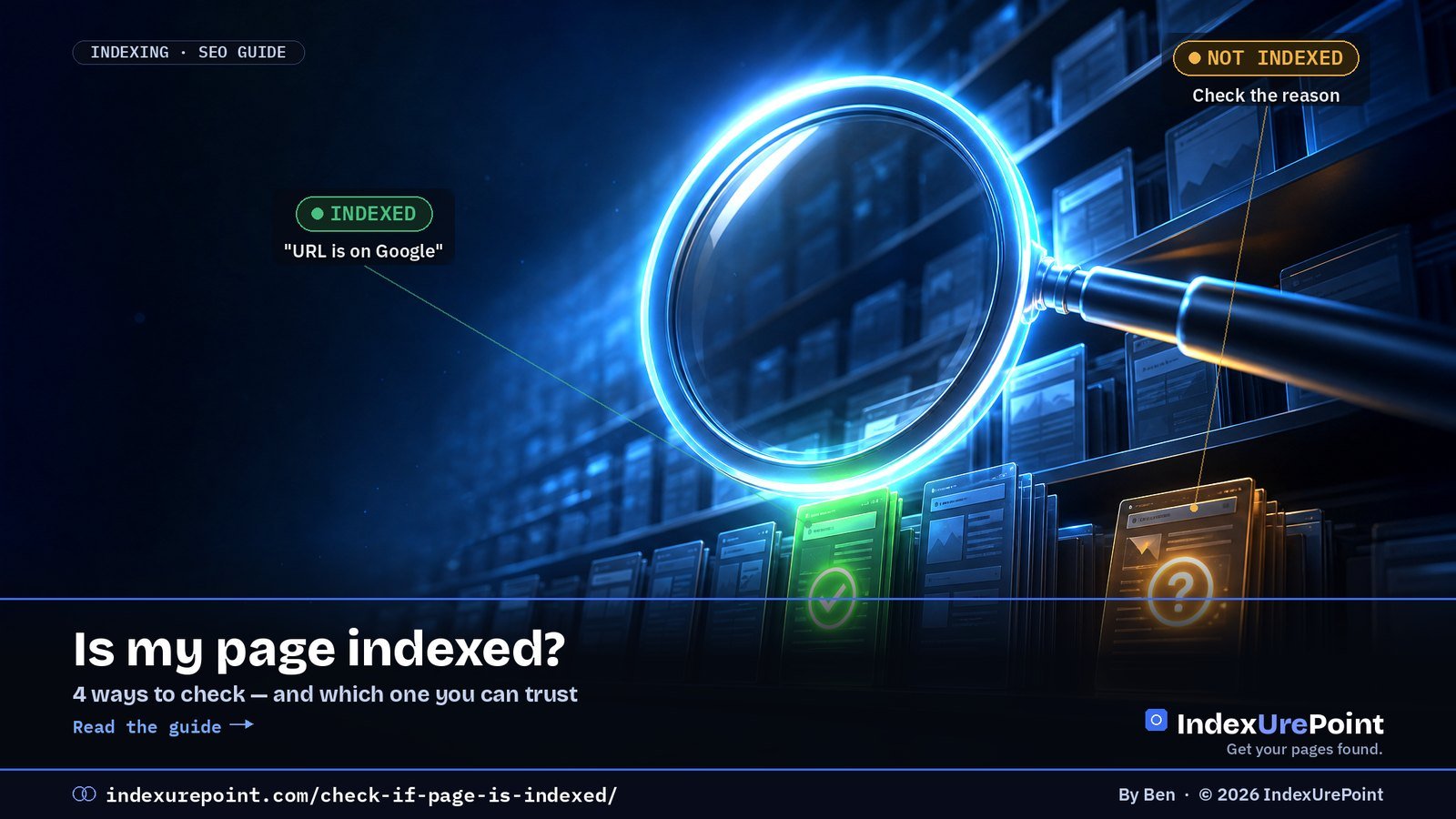
    The reliable way to check if a page is indexed is URL Inspection in Google Search Console: it answers “URL is on Google” or “URL is not on Google” and, crucially, tells you why — the site: operator is only a rough sample.

    Key takeaways
    • URL Inspection is the source of truth; the Page indexing report gives whole-site counts by reason.
    • A missing result in a site: search does not prove a page is unindexed — Google says the operator shows a subset.
    • Third-party bulk checkers guess from search queries; useful for URLs you do not own, wrong in both directions.
    • Indexed ≠ ranking: an indexed page can still sit on page five for your target query.
    • Check Bing too — a page can be indexed in one engine and missing in the other.
    How this was checked. Written against Google’s documentation on URL Inspection, the Page indexing report and search operators, and tested on our own pages in Search Console and Bing Webmaster Tools.
    Short answer

    The reliable way to check if a page is indexed is URL Inspection in Google Search Console: it says “URL is on Google” or “URL is not on Google” and tells you why.

    The site: search is a quick rough check, but it’s incomplete and can mislead. Third-party “index checkers” are guesses built on the same rough signals. For whole-site numbers, use the Page indexing report.

    Four ways to check, ranked by reliability

    • 1. URL Inspection (Search Console) — the source of truth. Paste the URL in the bar at the top. You’ll see whether it’s on Google, the last crawl date, the user-declared and Google-selected canonical, and the exact reason if it’s not indexed.
    • 2. Page indexing report (Search Console) — how many of your pages are indexed and, grouped by reason, which ones aren’t. Best for spotting patterns across a site.
    • 3. site: search — type site:yoursite.com/page-url into Google. If it shows up, it’s indexed. If it doesn’t, it might still be indexed — Google says the site: operator doesn’t show every indexed URL.
    • 4. Third-party index checkers — convenient for bulk lists of URLs you don’t own (like backlinks), but they rely on search queries and can be wrong in both directions.
    Don’t forget the live test
    URL Inspection shows Google’s last known version. Click Test live URL to check whether the page as it is now can be indexed — useful right after you fix a noindex or a robots.txt block.
    Method Reliability Works for Tells you why?
    URL Inspection (GSC) Definitive Your verified sites Yes
    Page indexing report Definitive, site-wide Your verified sites Yes, grouped
    site: search Rough sample Any site No
    Third-party checkers Approximate Any URL list No

    Reading the URL Inspection result

    URL IS ON GOOGLE

    Indexed

    Means: the page can appear in results. Ranking is a separate question.

    URL IS NOT ON GOOGLE

    Not indexed

    Means: check the reason under Page indexing — each status has a specific fix.

    Common reasons and their guides: Crawled / Discovered – currently not indexed, Excluded by noindex, Duplicate without user-selected canonical, Soft 404 and Page with redirect. “URL is unknown to Google” simply means Google hasn’t found it yet.

    Checking Bing too

    Bing Webmaster Tools has its own URL Inspection with the same idea: indexed or not, and why. It’s worth checking both — a page can be indexed in one and missing in the other. See our Bing Webmaster Tools guide.

    Our take
    Stop refreshing site: searches. One URL Inspection gives you a definitive answer and the reason — which is the only thing you can actually act on.

    FAQ

    Why does site: show fewer pages than Search Console?

    The site: operator is a rough sample, not a full list. Search Console’s Page indexing report is the accurate count.

    Can I check if someone else’s page is indexed?

    Not with URL Inspection, which only works for properties you’ve verified. For other sites, a site: search or a third-party checker is the best you can do.

    URL Inspection says indexed, but I can’t find my page. Why?

    Indexed doesn’t mean ranking. The page is eligible to appear, but it may rank low for the queries you’re trying. Search for a unique sentence from the page in quotes to confirm.

    How often does the indexing status update?

    URL Inspection reflects Google’s latest crawl of that page. The Page indexing report is updated periodically and can lag by several days.

    Can I check indexing for a whole list of URLs at once?

    For your own site, the Page indexing report covers everything. For external lists, bulk checkers approximate; expect some false negatives.

    Does “URL is on Google” guarantee my page shows in results?

    It means the page is eligible. Whether it appears depends on ranking; search a unique quoted sentence from the page to confirm it can surface.

    iP
    IndexUrePoint is an independent guide to getting your pages found and indexed — Google, Bing, and AI search. We test tools ourselves and say plainly when something doesn’t work. Spotted an error? Tell us via the contact page; we’ll fix it and note the date.

  • How to Submit Your Website to Google (Free, in 15 Minutes)

    How to Submit Your Website to Google (Free, in 15 Minutes)

    Lees deze gids in het Nederlands →

    Google Search Console · Getting started

    You submit a website to Google through Google Search Console — add the property, verify ownership, submit your XML sitemap and request indexing for key pages. It is free, takes about 15 minutes, and there is no paid alternative worth buying.

    Key takeaways
    • There is no public “Submit URL” form anymore, and the sitemap ping endpoint was retired — Search Console is the way in.
    • A domain property covers http, https, www and subdomains in one go; it needs a DNS TXT record.
    • Request indexing has a small daily quota — we hit “quota exceeded” after six requests on a fresh property.
    • Submitting speeds up discovery; whether pages get indexed still depends on allowed → reachable → worth keeping.
    • Set up Bing the same day: ten extra minutes covers the index behind Copilot and much of ChatGPT search.
    How this was checked. Written against Google’s Search Console and sitemap documentation, and done step by step on this site: we added the domain property, verified it via DNS, submitted the sitemap and requested indexing for our key pages.
    Short answer

    You “submit” a website to Google through Google Search Console: add your site, verify ownership, submit your XML sitemap, and use URL Inspection → Request indexing for your most important pages. It’s free and takes about 15 minutes.

    There is no separate “submit URL” form anymore, and the old sitemap ping was retired. Anyone charging you to “submit your site to Google” is selling something Google gives away.

    Submit your website to Google in 4 steps

    • 1. Add a property in Google Search Console (search.google.com/search-console).
    • 2. Verify ownership. For a domain property, add the TXT record Google gives you in your domain’s DNS settings (at your registrar or host). Verification usually succeeds within minutes once the record is live.
    • 3. Submit your sitemap under Indexing → Sitemaps. WordPress with Yoast or Rank Math: /sitemap_index.xml. WordPress without an SEO plugin: /wp-sitemap.xml.
    • 4. Request indexing for key pages. Paste the URL into the inspection bar at the top, then click Request indexing. There’s a daily limit — use it for your homepage and most important pages; the sitemap covers the rest.
    From our own setup
    On this site, the sitemap flipped from “Couldn’t fetch” to “Success” within minutes, and Search Console showed a “quota exceeded” message after six indexing requests on a brand-new property. That’s normal — don’t try to push every URL by hand.

    Domain or URL-prefix property?

    DOMAIN

    Everything in one

    Covers: http and https, www and non-www, all subdomains. Needs DNS verification. Our recommendation.

    URL-PREFIX

    One exact version

    Covers: only the exact prefix you enter. Can be verified with an HTML tag or file — handy if you can’t edit DNS.

    Property type Covers Verification Best for
    Domain All protocols & subdomains DNS TXT record Most sites (our pick)
    URL prefix One exact prefix only HTML tag/file, Analytics, DNS No DNS access, or subfolder-only

    What happens after you submit

    Submitting doesn’t index anything by itself. It tells Google where your pages are. Google then crawls them on its own schedule and decides which ones are worth keeping. For a new site, days to several weeks is normal — see how long Google takes to index.

    Our take
    Submitting is the easy 15 minutes. What decides whether you actually get indexed is whether your pages are allowed, reachable and worth keeping — the checklist in why isn’t Google indexing my site.

    FAQ

    Do I have to submit my site to Google to appear in search?

    No. Google finds sites through links too. But submitting via Search Console speeds up discovery and gives you the data to fix problems, so it’s always worth doing.

    Is there still a “Submit URL” tool?

    Not as a public form. The replacement is URL Inspection → Request indexing inside Search Console, which requires a verified property.

    Can I still ping Google with my sitemap?

    No. Google deprecated the sitemap ping endpoint. Submit the sitemap in Search Console and list it in robots.txt instead.

    How many pages can I request indexing for?

    There’s a daily quota per property, and Google doesn’t publish a fixed number. Prioritise your key pages and let the sitemap handle the rest.

    How much does it cost to submit a website to Google?

    Nothing. Search Console, sitemap submission and Request indexing are free. Services charging for “Google submission” resell a free process.

    How long after submitting does my site appear in Google?

    Discovery can start within hours, but indexing typically takes days to a few weeks for new sites, depending on links and content quality.

    Do I need to resubmit my sitemap when I publish new posts?

    No. Your SEO plugin updates the sitemap automatically and Google rechecks it on its own schedule; one submission is enough.

    iP
    IndexUrePoint is an independent guide to getting your pages found and indexed — Google, Bing, and AI search. We test tools ourselves and say plainly when something doesn’t work. Spotted an error? Tell us via the contact page; we’ll fix it and note the date.

  • Bing Webmaster Tools: The Complete 2026 Setup Guide

    Bing Webmaster Tools: The Complete 2026 Setup Guide

    Lees deze gids in het Nederlands →

    Bing · Webmaster Tools · 2026 guide

    Bing Webmaster Tools is Microsoft’s free counterpart to Google Search Console: it shows how Bing crawls, indexes and ranks your site — and, since February 2026, how often Microsoft Copilot cites your pages in AI answers.

    Key takeaways
    • Setup takes about 10 minutes: add the site (or import it from Search Console), verify, submit the sitemap, connect IndexNow.
    • Bing’s own search share is small — 4.5% worldwide in August 2026 (StatCounter) — but its index reaches far beyond bing.com.
    • In a 100-query study, 87% of ChatGPT search citations matched Bing’s top results (Seer Interactive, 2025).
    • The AI Performance report (public preview since 10 February 2026) shows citations in Copilot and Bing’s AI summaries — data Google Search Console doesn’t break out.
    • IndexNow pushes new URLs to Bing in seconds; Microsoft said it accounted for 17% of new URLs clicked in Bing results.
    How this was checked. First-hand: on 24 September 2026 we added indexurepoint.com to Bing Webmaster Tools, verified it with the meta-tag method, submitted our sitemap index and connected IndexNow. Everything else is sourced to Microsoft’s own documentation or named studies, linked inline. Reddit threads are quoted only from their public titles and search snippets.

    What is Bing Webmaster Tools?

    Bing Webmaster Tools is a free dashboard from Microsoft for site owners. It tells you which of your pages Bing has found and indexed, which queries you appear for, which sites link to you, and what technical problems Bing ran into while crawling.

    Microsoft’s own Webmaster Guidelines now describe how Bing surfaces content “across Bing search experiences, Copilot, and grounding API results” — in other words, the same index feeds classic search, Microsoft’s AI assistant and third parties that ground their answers on Bing.

    Why does Bing matter in 2026 if Google has 91% share?

    Because the Bing index is used far beyond bing.com. Google still holds about 91% of worldwide search and Bing about 4.5% (StatCounter, August 2026), but AI assistants change the maths.

    4.5%Bing’s worldwide search share, Aug 2026 — StatCounter
    87%of ChatGPT search citations matched Bing’s top results (100 queries, 500+ citations) — Seer Interactive
    17%of new URLs clicked in Bing results came via IndexNow — Fabrice Canel, Microsoft, via Search Engine Land
    10,000URLs per day: the maximum manual submission quota — Search Engine Journal
    18,100monthly US searches for “bing webmaster tools”, +124% year on year (DataForSEO, Sept 2026)

    The Seer study compared ChatGPT’s citations with Google and Bing results for the same questions: Bing matched 87%, Google 56%. It isn’t the whole story — experiments reported by Semrush suggest paid ChatGPT also draws on Google — but the takeaway is simple: if Bing can’t index you, you’re missing from a large share of AI answers. That’s also why we treat Bing as a pillar of answer engine optimization, not an afterthought.

    How do you set up Bing Webmaster Tools? (10 minutes)

    Microsoft’s Getting Started Checklist lists the same core steps. Here’s how they played out on this site.

    Step 1 — Sign in

    Go to bing.com/webmasters and sign in with a Microsoft, Google or Facebook account. No separate registration is needed.

    Step 2 — Add your site

    You get two choices. Import from Google Search Console is fastest: your verified properties and their sitemaps come across without separate verification, but you grant Bing read access to your Search Console data. Add manually means entering your URL and verifying yourself. We chose manual, to keep the accounts separate. If you haven’t set up Search Console yet, start with how to submit your website to Google.

    Step 3 — Verify ownership

    Three methods: an XML file (BingSiteAuth.xml) in your site root, an msvalidate.01 meta tag on your homepage, or a CNAME record in DNS. On WordPress the meta tag is simplest — Yoast SEO has a field for it. We added the tag, clicked Verify, and the site appeared in the dashboard straight away.

    Step 4 — Submit your sitemap

    Open Sitemaps → Submit sitemap and enter your sitemap URL — with Yoast or Rank Math usually /sitemap_index.xml. Ours showed “Processing” within seconds. If Bing reports an error, the causes are the same as on Google: see sitemap could not be read.

    Step 5 — Connect IndexNow

    Install the official IndexNow plugin (or enable IndexNow in your SEO plugin) so every new or updated URL is pushed to Bing instantly. By the time of writing, this site had sent 100 IndexNow submissions with zero failures. Details in what is IndexNow.

    How does Bing Webmaster Tools compare to Google Search Console?

    They overlap on the basics and differ on the extras. Bing is more generous with free research data; Google has the bigger audience.

    Feature Bing Webmaster Tools Google Search Console
    Search performance (clicks, impressions, queries) Yes Yes
    URL inspection Yes Yes
    AI citation reporting Yes — AI Performance (public preview) No separate report; AI features are part of Performance
    Backlink data Yes — referring domains and anchors Basic Links report
    Keyword research Yes, from Bing data No
    On-demand site audit Yes — Site Scan No
    Instant URL push IndexNow (automatic) Request indexing (manual, daily limit)
    Verification XML file, meta tag, CNAME, or import from Google DNS, HTML file, meta tag, Analytics, Tag Manager

    Practitioners notice the extras too: one r/bigseo thread titled “Anyone here actively using Bing Webmaster Tools?” includes a reply calling the backlink data “surprisingly good”.

    What does the AI Performance report show?

    Microsoft introduced AI Performance on 10 February 2026 as a public preview. It covers Microsoft Copilot, AI-generated summaries in Bing and select partner integrations, with five views: total citations, average cited pages, grounding queries, page-level citation activity and trends over time. On 13 October 2026 Microsoft added Topics Portfolio (beta), which groups those grounding queries into broader themes.

    Its limits matter. As Search Engine Land noted, the metrics reflect citation frequency only — no clicks, no traffic, and no indication of how prominently you were used. Treat it as a visibility signal, then check real visits in your analytics. To raise your citation count, apply the playbook in how to get cited in AI search, and make sure you aren’t blocking Microsoft’s crawler — see AI crawlers and robots.txt.

    How does IndexNow fit in?

    Bing Webmaster Tools shows what Bing knows about your site; IndexNow is how you tell Bing about changes the moment they happen. Instead of waiting for Bingbot to recrawl, your site pings Bing with each new, updated or deleted URL, and the IndexNow section of the dashboard lists what was received.

    Manual URL submission still exists — Bing raised the daily quota from 10 to up to 10,000 URLs, depending on how long a site has been verified (Search Engine Journal) — but IndexNow does the same job automatically. Google doesn’t participate in IndexNow; for Google you still rely on sitemaps and internal links.

    Can you connect Bing Webmaster Tools to ChatGPT, Claude or BigQuery?

    Not with an official one-click connector: Microsoft publishes none for ChatGPT, Claude, BigQuery, Google Sheets, Looker Studio or Power BI (checked 17 October 2026). What Microsoft does offer is the Bing Webmaster API, and every working connection runs through it.

    You get access in two ways: OAuth 2.0, which Microsoft recommends for apps, or an API key. For the key, open Bing Webmaster Tools, click Settings (top right) → API Access → Generate API Key. Only one key can be generated per user. The key belongs to your user account, not to one site, so treat it like a password. If the key leaks, delete it in Bing Webmaster Tools and generate a new one; every app that still uses the old key stops working until you give it the new key.

    The API covers the same data as the main reports. Useful methods in the official reference include GetQueryStats and GetPageStats (traffic for top queries and pages), GetPageQueryStats, GetRankAndTrafficStats, GetCrawlStats, GetCrawlIssues, GetUrlInfo, GetKeywordStats, SubmitUrl and SubmitUrlBatch. The AI Performance report is not in the API reference, so citation data stays in the dashboard for now.

    Connect to Official connector? Route that works
    ChatGPT No A custom GPT action or your own script that calls the API with your key
    Claude / Claude Code No An MCP server that wraps the API (community-built, see below) or a script Claude Code runs for you
    BigQuery No A scheduled script (for example a Cloud Run job) that pulls GetQueryStats and GetPageStats and loads them into a table
    Google Sheets No Apps Script with UrlFetchApp calling the API, or import the CSV from the Download button in Search Performance
    Looker Studio No Third-party connectors (some paid), or Looker Studio on top of your BigQuery table
    Power BI No Power Query “From Web” against the API, or a dataset you fill with a script
    About “Bing Webmaster Tools MCP servers”
    The MCP servers you find on GitHub for Claude and other assistants are built by individual developers, not by Microsoft. They use your API key, usually through an environment variable such as BING_WEBMASTER_API_KEY. Read the code before you install one, and keep the key out of shared configs and code repositories.

    For most sites the simplest useful setup is a weekly script that pulls query and page stats into a sheet or a BigQuery table next to your Search Console data. That gives you a side-by-side view of which pages Google and Bing actually index and which queries each engine sends.

    What goes wrong — and how do you fix it?

    • “Is it even worth it?” — a common doubt, e.g. this r/growmybusiness thread. Ten minutes of setup buys you Bing, Copilot and part of ChatGPT’s source pool. Yes, it’s worth it.
    • Indexed in the dashboard, missing in search. One r/bing user reported their site was deindexed while the portal still showed it as indexed. Use URL Inspection’s live check, and confirm with a site: search on Bing — the same method as in how to check if a page is indexed.
    • Bingbot blocked. A firewall or robots.txt rule that lets Googlebot in but not Bingbot silently keeps you out. Check both — see blocked by robots.txt.
    • Verification disappears. Bing re-checks verification. Remove the meta tag during a redesign and you lose access.
    • Pages found but not indexed. Bing, like Google, skips thin or duplicate pages. The fixes in crawled vs. discovered and orphan pages apply here too.
    • Duplicate IndexNow pings. Several plugins submitting the same URLs wastes quota. Use one method.
    Our take
    Bing Webmaster Tools is the cheapest visibility win in SEO right now: ten minutes of setup, free research data, and a direct line into the index behind Copilot and much of ChatGPT search. Set it up the same day as Search Console, and let IndexNow keep it current.

    FAQ

    Is Bing Webmaster Tools free?

    Yes. Every feature, including Site Scan, backlink data, keyword research and the AI Performance report, is free with a Microsoft, Google or Facebook sign-in.

    Should I connect my site to Bing Webmaster Tools if I already use Google Search Console?

    Yes. The two tools cover different indexes. Bing’s feeds Bing search, Microsoft Copilot and partners, and it’s the only one that reports AI citations separately.

    Can I import my site from Google Search Console?

    Yes. The import adds your verified Search Console sites and their sitemaps without separate verification, after you grant Bing read access to your Search Console data.

    Does anyone still use Bing?

    Directly, about 4.5% of searches worldwide in August 2026 according to StatCounter. Indirectly, far more: Bing’s index feeds Microsoft Copilot and is a major source for ChatGPT search citations.

    How many URLs can I submit to Bing per day?

    Manual submission allows up to 10,000 URLs per day, depending on how long your site has been verified and other signals. IndexNow submissions are separate and automatic.

    How long does Bing take to index a new site?

    With a sitemap and IndexNow, Bing usually discovers new URLs quickly. Whether it indexes them depends on quality and trust; new sites can take days to weeks.

    Does the AI Performance report show clicks from Copilot?

    No. It shows citation frequency, cited pages and grounding queries, but not clicks or traffic. Check referral traffic from Copilot in your analytics.

    Why is my site indexed in Google but not in Bing?

    Common causes are a Bingbot block in robots.txt or a firewall, no submitted sitemap, or content Bing judges thin. Check URL Inspection in Bing Webmaster Tools for the specific reason.

    Can I connect Bing Webmaster Tools to ChatGPT?

    Not through an official connector. Generate an API key under Settings → API Access and call the Bing Webmaster API from a custom GPT action or your own script.

    Is there an official Bing Webmaster Tools MCP server for Claude or Claude Code?

    No. The MCP servers on GitHub are community projects that wrap the official Bing Webmaster API with your API key. Review the code before installing one.

    Can I export Bing Webmaster Tools data to BigQuery or Google Sheets?

    Not natively. A scheduled script that calls GetQueryStats and GetPageStats can load the data into BigQuery or a sheet; the AI Performance report is not available through the API.

    B
    Ben runs IndexUrePoint and manages several websites in Google Search Console and Bing Webmaster Tools, including this one. He tests every setup described here on a live site before writing about it. Spotted an error? Tell us via the contact page; we’ll fix it and note the date.
  • Page With Redirect in Search Console: Normal or a Problem?

    Page With Redirect in Search Console: Normal or a Problem?

    Part of our guide: canonical tags and indexing, every Search Console status explained →

    Lees deze gids in het Nederlands →

    Google Search Console · Redirects

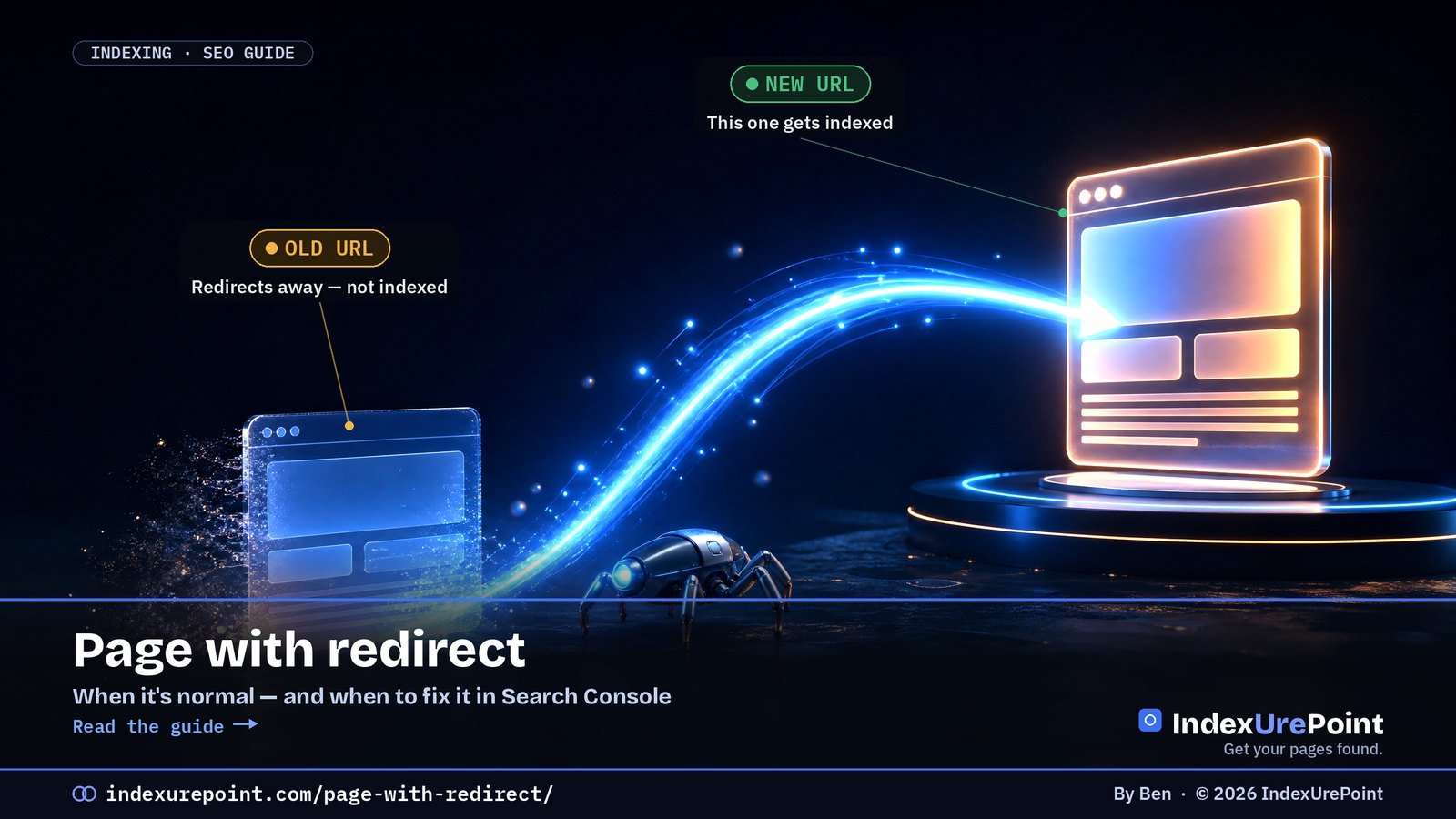
    “Page with redirect” means the URL forwards visitors elsewhere, so Google indexes the destination instead — usually exactly what you want. Its broken sibling, “Redirect error”, always needs fixing.

    Key takeaways
    • A long “Page with redirect” list after an https move or redesign is a sign things went right.
    • Act only when redirecting URLs sit in your sitemap, are linked internally, or point somewhere wrong.
    • “Redirect error” = loop, too-long chain, oversized URL or a broken hop — test with a live URL inspection.
    • Keep permanent moves on 301/308 and keep every redirect to a single hop: A→C, not A→B→C.
    • Google states server-side redirects do not lose PageRank — chains just waste crawl effort.
    How this was checked. Written against Google’s Page indexing report documentation and its guidance on redirects and site moves.
    Short answer

    “Page with redirect” means this URL redirects somewhere else, so Google indexes the destination, not this URL. That’s normal and usually correct.

    It only needs attention when a redirecting URL is still in your sitemap or linked internally, or when the redirect goes somewhere it shouldn’t. Its evil twin, “Redirect error” — loops, long chains, broken targets — always needs fixing.

    What “Page with redirect” means

    Google’s wording: this is a non-canonical URL that redirects to another page, so it will not be indexed. The redirect works; Google followed it and put the destination in the index instead.

    OLD URL

    Redirects away

    Status: “Page with redirect” — not indexed, on purpose.

    NEW URL

    Gets indexed

    Status: should appear as indexed and inherit the old URL’s signals.

    Normal vs. worth fixing

    • Normal: http → https, non-www → www (or the reverse), old slugs after you renamed a post, trailing-slash normalisation, deleted pages redirected to a true replacement.
    • Worth fixing: redirecting URLs listed in your XML sitemap — a sitemap should only list final, indexable URLs.
    • Worth fixing: internal links and menus pointing to URLs that redirect. Every hop wastes crawl effort; link to the final URL directly.
    • Worth fixing: a page you want indexed that redirects unexpectedly — often a plugin rule, a language redirect or a login redirect.
    Situation Status you’ll see Action
    http → https, www normalisation, renamed slugs Page with redirect None — working as designed
    Redirecting URL still in sitemap or menus Page with redirect Point sitemap/links at the final URL
    Loop or chain that never resolves Redirect error Fix at one layer; flatten to one hop
    Deleted pages mass-redirected to homepage Soft 404 Redirect to real equivalents or serve 404/410

    “Redirect error” — the one you must fix

    This separate status means Google couldn’t complete the redirect at all. Google lists the causes: a redirect chain that was too long, a redirect loop, a redirect URL that exceeded the maximum URL length, or a bad or empty URL in the chain. Test the URL with URL Inspection’s live test or any redirect-checker, and make each old URL go directly to its final destination in one 301 hop.

    Watch for loops
    Loops often come from two systems fighting: e.g. a CDN forcing https while the server forces http, or a redirect plugin and .htaccess rule pointing at each other. Fix it at one layer only.

    Clean-up checklist

    • Sitemap: make sure it lists only final URLs (Yoast and Rank Math handle this automatically for normal posts).
    • Internal links: update menus and in-content links to the final URL.
    • Use 301 for permanent moves and keep redirects in place for at least a year after a migration.
    • Flatten chains: A → B → C becomes A → C and B → C.
    • Don’t redirect everything to the homepage — Google tends to treat that as a soft 404.
    Our take
    A long list under “Page with redirect” after a redesign or https move is a sign things went right. Spend your energy on the sitemap and internal links — and on any “Redirect error” entries, which are real breakages.

    FAQ

    Should I fix “Page with redirect” in Search Console?

    Usually no. Only act if the redirecting URL is in your sitemap, linked internally, or is a page you actually wanted indexed.

    Should I click Validate fix for “Page with redirect”?

    There’s nothing to validate if the redirects are intentional. The URLs will remain in the report as long as Google knows about them, and that’s fine.

    Do redirects lose ranking power?

    Google has said 301 and other server-side redirects don’t cause a loss of PageRank. Chains still slow crawling, so keep redirects to one hop.

    301 or 302?

    Use 301 (or 308) for permanent moves. 302/307 signal a temporary move; Google may keep the old URL indexed longer.

    How long should I keep redirects after a migration?

    Google advises keeping 301 redirects in place for at least a year; longer costs nothing and preserves signals from old links.

    Do redirects slow my site down?

    Each hop adds a round trip for users and crawlers. One hop is fine; chains of three or more are worth flattening.

    iP
    IndexUrePoint is an independent guide to getting your pages found and indexed — Google, Bing, and AI search. We test tools ourselves and say plainly when something doesn’t work. Spotted an error? Tell us via the contact page; we’ll fix it and note the date.