Category: Blog

Your blog category

  • Duplicate, Google Chose Different Canonical Than User: What It Means and How to Fix It

    Duplicate, Google Chose Different Canonical Than User: What It Means and How to Fix It

    Part of our guide: canonical tags and indexing, every Search Console status explained →

    Lees deze gids in het Nederlands →

    New here? Start with Why isn’t Google indexing my site? →

    Related: Crawled vs. Discovered — currently not indexed →

    Google Search Console · Canonicalization

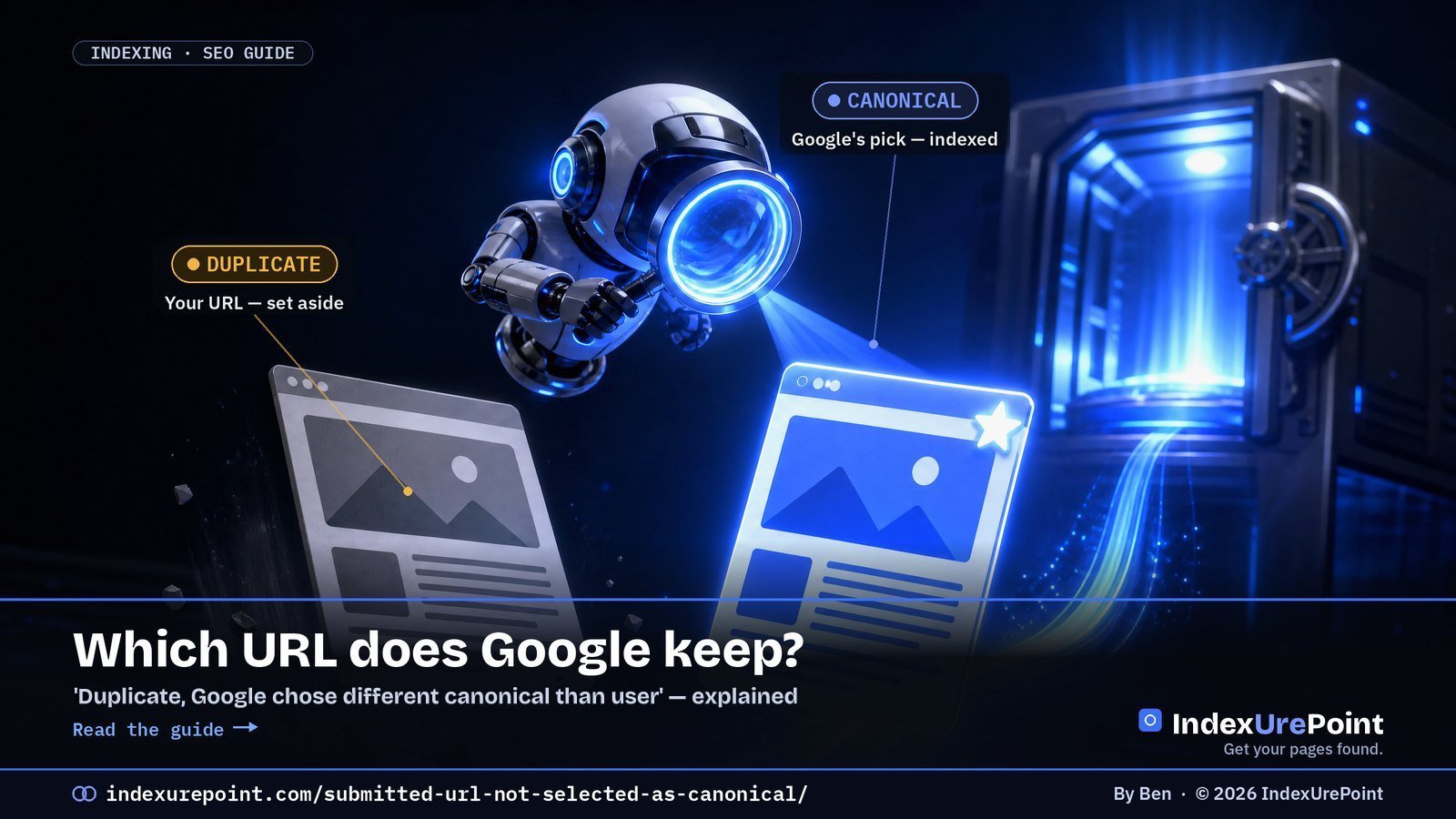
    What does “Duplicate, Google chose different canonical than user” mean? You marked this URL as the canonical, with a rel=”canonical” tag or by listing it in your sitemap, but Google decided a different URL is the better version and indexed that one instead — not a bug, a disagreement.

    Key takeaways
    • Google groups near-identical URLs and indexes exactly one: the canonical. Your tag is a hint, not a command.
    • It is not the same as “Duplicate without user-selected canonical”: there the page declares no canonical at all, and Google picked one for you.
    • “Alternate page with proper canonical tag” is usually fine: you pointed, Google agreed.
    • The cure is alignment: sitemap, canonical tag, internal links and redirects must all name the same URL.
    • Re-submitting in URL Inspection does not change Google’s canonical choice — fixing the signal conflict does.
    • Google can hold pages in a duplicate cluster for up to two weeks, so give a fix time before you judge it.
    How this was checked. Status names and definitions re-checked on 18 October 2026 against Google’s Page indexing report help page and the canonicalization documentation (last updated 20 August 2026). Written against Google’s Search Central documentation on canonicalization and duplicate URLs, and cross-checked with real practitioner threads on r/TechSEO and r/bigseo. Where the docs and the community disagree, we say so.
    Short answer

    “Duplicate, Google chose different canonical than user” means you told Google this URL is the canonical (with a canonical tag or your sitemap), but Google decided a different URL is the real version and indexed that one instead.

    Older guides and audit tools call this “Submitted URL not selected as canonical”. That name comes from Search Console’s old Index Coverage report and is not in Google’s current list of statuses; the situation it described now shows up as Duplicate, Google chose different canonical than user or, when the page declares no canonical, as Duplicate without user-selected canonical.

    Neither is a bug. It’s Google saying “I found a page I think is the same as this — and I picked the other one.” Your job is to make your preferred URL the obvious winner.

    What does “canonical” actually mean?

    When two or more URLs show Google near-identical content, Google groups them and picks one to index and rank. That chosen URL is the canonical. The others are treated as duplicates and quietly set aside — they still exist, they just don’t get their own spot in the index.

    You can suggest a canonical (with a rel=”canonical” tag, your sitemap, internal links, redirects). But Google treats your tag as a hint, not a command. When Google’s own signals point elsewhere, it overrides you — and that’s exactly what these Search Console messages are telling you.

    Google’s own Page indexing report documentation describes this status in one line: “This page is marked as canonical for a set of pages, but Google thinks another URL makes a better canonical.” Google then indexes the URL it chose, not yours.

    Which canonical statuses will you see, and what does each one mean?

    YOU DECLARED

    Google disagreed

    “Duplicate, Google chose different canonical than user”: your rel=”canonical” or sitemap names this URL; Google indexed a different one it considers the original.

    NO DECLARATION

    Google picked for you

    “Duplicate without user-selected canonical”: the page declares no canonical; Google sees it as a duplicate and chose another URL.

    A close cousin, “Alternate page with proper canonical tag,” is usually fine: it means the page correctly points to another canonical, and Google agreed. That one you can normally ignore — it’s the system working as intended. Every canonical status side by side is in our guide to canonical tags and indexing.

    How do you check if Google chose a different canonical?

    Open URL Inspection in GSC. Compare “User-declared canonical” with “Google-selected canonical.” Different URLs = Google chose a different canonical than you.
    They differ → you disagree with Google
    1. Is the content truly unique, or near-identical to the chosen URL?
    2. Do your internal links point to the URL you want?
    3. Is your rel=”canonical” self-referencing and correct?
    Google picked a weaker URL → signals conflict
    1. Does the chosen URL have more internal/external links?
    2. Are there http/https or www/non-www duplicates?
    3. Do sitemap, canonical and redirects all agree?

    Each “no” is a signal you can align. The goal is simple: make every signal point to the same, single URL.

    Two limits, both from Google’s URL Inspection documentation: the live test cannot predict whether the tested version will be chosen as canonical, because Google decides that at indexing time, and the indexed values can be a few hours old. Our guide to checking if a page is indexed walks through the tool step by step.

    Signal Should point to Common conflict
    rel="canonical" tag The page itself (self-referencing) Copied templates pointing elsewhere
    XML sitemap Final, canonical URLs only Parameter or redirecting URLs listed
    Internal links The clean canonical URL Menus linking to variants
    Redirects Variants → canonical, one hop http/www variants left resolving

    How do you fix “Google chose different canonical than user”?

    • Make your signals agree. Your sitemap, your rel=”canonical”, your internal links, and any redirects should all name the same URL. Mixed signals are the number-one cause of Google overriding you.
    • Self-reference the canonical. Every important page should point its canonical tag at itself (unless it genuinely is a duplicate). A missing or wrong tag invites Google to guess.
    • Kill accidental duplicates. http vs https, www vs non-www, trailing slashes, tracking parameters, and printer/AMP variants all create twins. Redirect the variants to one canonical version; those variants then show up as Page with redirect, which is expected.
    • Strengthen the URL you want. If Google chose a different page because it has more links, add internal links to your preferred URL from strong, already-indexed pages. A preferred URL with no internal links at all is an orphan page; fix that first.
    • Consolidate genuinely thin duplicates. If two pages really are the same, don’t fight it — merge them and 301-redirect the loser. One strong page beats two competing ones.
    • Rule out the less obvious causes. Google’s canonicalization troubleshooting guide also lists language variants without hreflang, incorrect canonical elements (often from a CMS or plugin), misconfigured servers, hacked pages, syndicated content and copycat sites.
    Our take
    Don’t spam URL Inspection’s “Request indexing” hoping Google flips its choice. It won’t, and it wastes your time. Fix the underlying signal conflict, then let Google recrawl and re-evaluate on its own schedule.

    When is a different canonical completely normal?

    Plenty of these entries are harmless. Paginated pages, filtered/faceted URLs, and syndicated content should point to a canonical elsewhere — and “Alternate page with proper canonical tag” confirms that’s working. Only act when a URL you genuinely want indexed is being passed over for another.

    FAQ

    Is “Duplicate, Google chose different canonical than user” hurting my rankings?

    Not directly — the content still ranks via the URL Google chose. It only hurts if the chosen URL is a weaker or wrong version, or if link equity is being split across duplicates. Fix the signals so your preferred URL wins.

    Will a rel=”canonical” tag force Google to obey?

    No. It’s a strong hint, not a directive. If your other signals (links, sitemap, redirects) contradict the tag, Google can and will override it. Alignment beats any single tag.

    How long until Google changes its canonical choice?

    After you align the signals, it can take days to a few weeks for Google to recrawl both URLs and re-evaluate; Google says it can hold pages in a duplicate cluster for up to two weeks. Don’t re-submit repeatedly; give it one clean recrawl cycle.

    Should I worry about “Alternate page with proper canonical tag”?

    Usually not. It means the page correctly defers to another canonical and Google agreed — the system working as designed. Only investigate if the “alternate” is actually a unique page you wanted indexed.

    Can I force Google to accept my canonical?

    No single signal forces it. Google weighs your tag against links, sitemap, redirects and content similarity; when they all agree, Google almost always follows.

    Does this status mean my content is duplicated somewhere else on the web?

    Not necessarily. Most cases are internal: your own URL variants. Cross-site canonicals matter mainly for syndicated content.
    iP
    IndexUrePoint is an independent guide to getting your pages found and indexed — Google, Bing, and AI search. We test tools ourselves and say plainly when something doesn’t work. Spotted an error? Tell us via the contact page; we’ll fix it and note the date.

  • Crawled vs. Discovered — Currently Not Indexed: what each one means, and how to fix it

    Crawled vs. Discovered — Currently Not Indexed: what each one means, and how to fix it

    Lees deze gids in het Nederlands →

    Google Search Console · Indexing

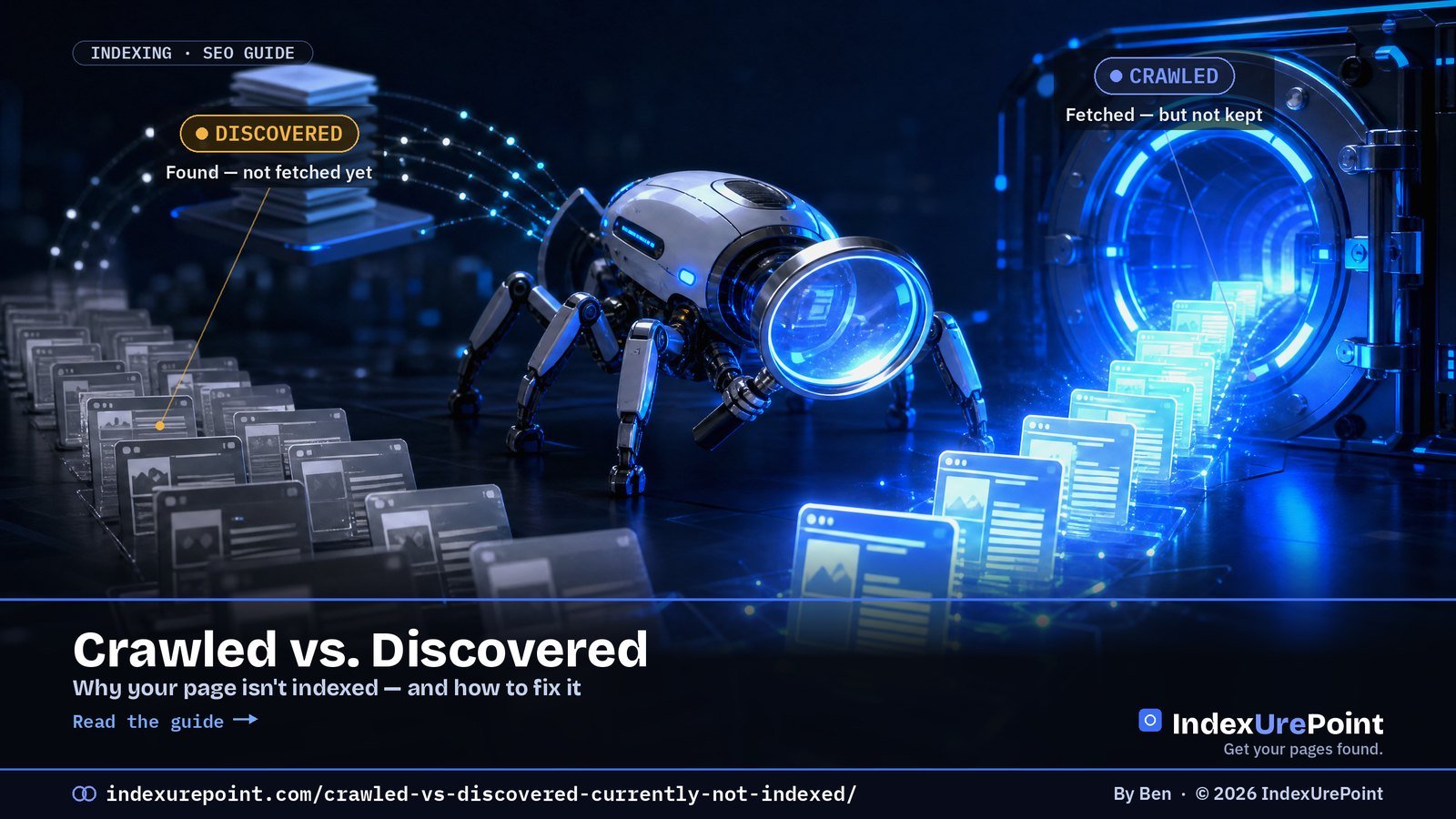
    “Discovered – currently not indexed” means Google found your URL but never fetched it; “Crawled – currently not indexed” means Google fetched the page and declined to keep it. That one difference — fetched or not — decides which fix will work.

    Key takeaways
    • Discovered = a discovery/priority problem: fix it with internal links and crawl priority, not content changes.
    • Crawled = a value problem: Google saw the page and passed. Improve or consolidate the content.
    • Google itself says indexing “can take anywhere from a few days to a few weeks” — on new sites, waiting is often the right move.
    • In Reddit threads we reviewed, pages sit stuck from 2.5 weeks to 3+ months; one programmatic site had 29 pages unfetched after 8+ months of sitemap submission.
    • The most-cited fix across r/SEO and r/bigseo is internal links from strong, already-indexed pages — not resubmitting in URL Inspection.
    How this was checked. Written against Google’s own Search Central documentation and cross-checked with real practitioner threads on r/SEO, r/bigseo and r/TechSEO. Where the community and the docs disagree, we say so.
    Short answer

    “Discovered – currently not indexed” means Google knows your URL exists but hasn’t crawled it yet — usually a crawl-budget or low-priority signal. The page was never fetched.

    “Crawled – currently not indexed” means Google did fetch the page and then chose not to index it — usually a quality, duplication, or thin-value signal.

    That one difference — fetched or not — decides your fix. Discovered is a discovery/priority problem; Crawled is a value problem.

    The one difference that changes your fix

    Both statuses live in the same Google Search Console report, and people treat them as the same problem. They aren’t. The wall between them is a single question: did Googlebot actually fetch the page?

    DISCOVERED

    Found, not fetched

    What it means: Google saw the URL (in your sitemap or a link) but hasn’t crawled it. It’s sitting in a queue.

    CRAWLED

    Fetched, not kept

    What it means: Google crawled the page, evaluated it, and decided it wasn’t worth adding to the index — yet.

    Get this right and everything downstream gets simpler. Chasing “crawl budget” when your real problem is thin content wastes weeks — a point practitioners on r/bigseo make repeatedly about pages “stuck for 8+ weeks” that no amount of re-submitting fixes.

    Which one do you have? A 30-second decision

    Open the page’s status in GSC. Which label does it show?
    Discovered → priority problem
    1. Is the URL reachable in ≤3 clicks from your homepage?
    2. Does it sit in your sitemap and get internal links?
    3. Is your server fast and error-free in the logs?
    Crawled → value problem
    1. Is the content substantially unique vs. other pages?
    2. Does it answer a real query better than what ranks now?
    3. Is it canonical, or a near-duplicate of another URL?

    Answer the three questions in your column. Each “no” is a lever you can pull — in the order they’re listed.

    Fixes that actually work (and the order to try them)

    If it’s Discovered — make the page easy and worth reaching

    • Add internal links from strong, already-indexed pages. This is the single most-cited fix in practitioner threads: a link from a page Google already trusts pulls the stuck URL into the crawl queue faster than re-submitting ever will.
    • Flatten the click depth. Pages buried 5+ clicks deep read as low-priority. Surface them from hubs and category pages.
    • Check your server logs for crawl waste. If Googlebot is burning its budget on parameter URLs, faceted filters, or 5xx errors, your good pages starve. Block the junk in robots and fix the errors.

    If it’s Crawled — give Google a reason to keep it

    • Raise the page’s unique value. Add first-hand detail, data, or a clearer answer than the current top results. “Crawled – not indexed” is often Google saying we already have this.
    • Consolidate thin or near-duplicate pages. Ten shallow pages that each get rejected are worse than one strong page. Merge and redirect.
    • Fix canonical confusion. If two URLs look the same to Google, it keeps one and drops the other. Make your canonicals explicit. See our full canonical guide.
    • Then — and only then — request indexing. Use URL Inspection sparingly once the page genuinely deserves it. Re-submitting a weak page changes nothing.
    The uncomfortable truth practitioners keep landing on
    On r/SEO the recurring conclusion is that persistent “crawled – not indexed” on an otherwise healthy site usually isn’t a technical glitch — it’s Google’s read on content quality or domain authority. The fix is rarely a button; it’s the page being worth indexing.

    The Indexing-API “trick” — why it’s tempting, and why it can backfire

    You’ll find guides (and Reddit threads) showing how to force pages in via Google’s Indexing API — a step-by-step with a service account and a batch of URLs. It can work in the short term. But two things are true and usually left out:

    • Google’s own docs say the Indexing API is only for JobPosting and BroadcastEvent pages. Using it for ordinary posts is off-label.
    • Google has added an explicit spam warning to that documentation. Abuse can cost you far more than the pages were worth.
    Our take
    Treat the Indexing-API route as a red flag, not a shortcut. If a page needs a workaround to get indexed, that’s a signal the page — or the site’s authority — isn’t there yet. Fix the cause.

    When “not indexed” is completely normal

    Not every unindexed URL is a problem. New sites and new pages sit in these statuses for days to a few weeks while Google gauges the site. If your page is a week old on a young domain, the honest answer is: keep publishing, keep earning links, and wait. Panic-submitting daily does nothing but make you anxious.

    Search Console status Did Googlebot fetch it? Root cause Fix that works
    Discovered – currently not indexed No Crawl priority / discovery Internal links, sitemap, reduce click depth
    Crawled – currently not indexed Yes Quality / duplication judgement Improve or merge content, fix canonicals
    Excluded by noindex Yes Your page says “stay out” Remove the noindex, recrawl
    Blocked by robots.txt No (not allowed) Crawl rule Fix the Disallow rule

    What do practitioners report actually worked?

    We put the Reddit threads behind this guide through a structured source review (via NotebookLM, September 2026). Across r/SEO, r/bigseo, r/TechSEO and r/localseo, five fixes come back again and again as the ones that actually moved stuck pages:

    • Internal links from strong pages. “I had this issue until I added more internal linking.” (r/SEO)
    • A slight slug change, which makes Google treat the URL as new: “The only way I have to fix them is a slight slug edit.” (r/bigseo)
    • A few backlinks to the stuck page: “Just sent a couple of backlinks to the page and it was fixed.” (r/SEO)
    • Fixing page speed. One site owner with 2–3 minute load times: “I added a lazy load images code… about 3 days later, all the pages were indexed again.” (r/SEO)
    • The Indexing API — one r/TechSEO test reported 94% indexed within 48 hours versus 8.4% via the sitemap. It works short-term, but it’s outside Google’s rules for normal pages; we explain the risk in our Indexing API guide.

    The scale varies wildly: threads describe 3 stuck pages on a local-business site, 29 on a programmatic site after 8+ weeks, and 8,000 flagged on a news site. And the frustration with generic advice is real — “Anyone solved this beyond ‘earn backlinks and wait’?” (r/bigseo). That’s exactly why the split above matters: first determine which status you have, then apply the fix that matches it.

    Is it crawl budget? On sites under about 10,000 pages, almost never. Google’s own thresholds are in crawl frequency and crawl budget explained.

    Timing matters. A sudden jump in this status right after a Google update can be algorithmic — see our coverage of the September 2026 spam update.

    FAQ

    How long should I wait before worrying?

    On an established site, a genuinely valuable page usually indexes within days to two weeks once it’s linked internally. On a brand-new domain, several weeks is normal. Worry when a well-linked, high-value page stays stuck past ~3–4 weeks. See typical indexing timeframes.

    Does “crawled – currently not indexed” fix itself?

    Sometimes — Google re-evaluates over time. But if the cause is thin or duplicate content, waiting won’t help. Improve the page’s value first, then let Google recrawl.

    Will a paid indexing service fix it?

    Rarely, and not durably. Those services mostly help get backlinks discovered, not your own thin pages accepted. If Google crawled your page and declined it, paying to ping it again doesn’t change its judgement. We cover which services do what — honestly — in our reviews.

    Is “Discovered” or “Crawled” the worse problem?

    Neither is inherently worse — they’re different jobs. Discovered is usually the easier fix (linking, crawl budget). Crawled means Google already judged the page, so it can take more work.

    What is the difference between Discovered and Crawled currently not indexed?

    Discovered means Google knows the URL exists but has not fetched it yet, which is a crawl-priority problem. Crawled means Google fetched and evaluated the page but chose not to index it, which is a content-value problem.

    Does changing the URL slug really get a page indexed?

    Practitioners on r/bigseo report that a slight slug edit can work because Google treats the new URL as a fresh page. It is a workaround, not a fix: the underlying quality or priority issue usually remains.

    How many pages stuck in these statuses is normal?

    On large or programmatic sites, hundreds or thousands of excluded URLs can be normal. Worry when well-linked pages you actually want to rank stay stuck past three to four weeks on an established site.

    iP
    IndexUrePoint is an independent guide to getting your pages found and indexed — Google, Bing, and AI search. We test tools ourselves and say plainly when something doesn’t work. Spotted an error? Tell us via the contact page; we’ll fix it and note the date.