Author: Ben

  • What Is IndexNow? Instant Indexing for Bing (and Why Not Google)

    What Is IndexNow? Instant Indexing for Bing (and Why Not Google)

    Lees deze gids in het Nederlands →

    Bing · IndexNow · Indexing speed

    IndexNow is a free, open protocol that lets your site tell Bing, Yandex, Naver, Seznam, Yep and Amazon the moment a URL is added, updated or deleted — one ping reaches them all, and Google is the one engine that does not participate.

    Key takeaways
    • Push beats pull: engines learn about changes in seconds instead of on their next crawl.
    • Scale is real: Microsoft reported 1.4 billion URLs submitted daily and 17% of newly clicked URLs in Bing arriving via IndexNow.
    • Setup on WordPress is one plugin; the key file is generated and hosted for you.
    • It is a notification, not a guarantee: a thin page pinged a hundred times is still a thin page.
    • Because Bing’s index feeds Copilot and much of ChatGPT search, faster in Bing can mean faster in AI answers.
    How this was checked. Written against the official IndexNow documentation (indexnow.org) and Bing Webmaster guidance, and tested on this very site: IndexUrePoint runs the official IndexNow plugin, and every page you’re reading was submitted with it.
    Short answer

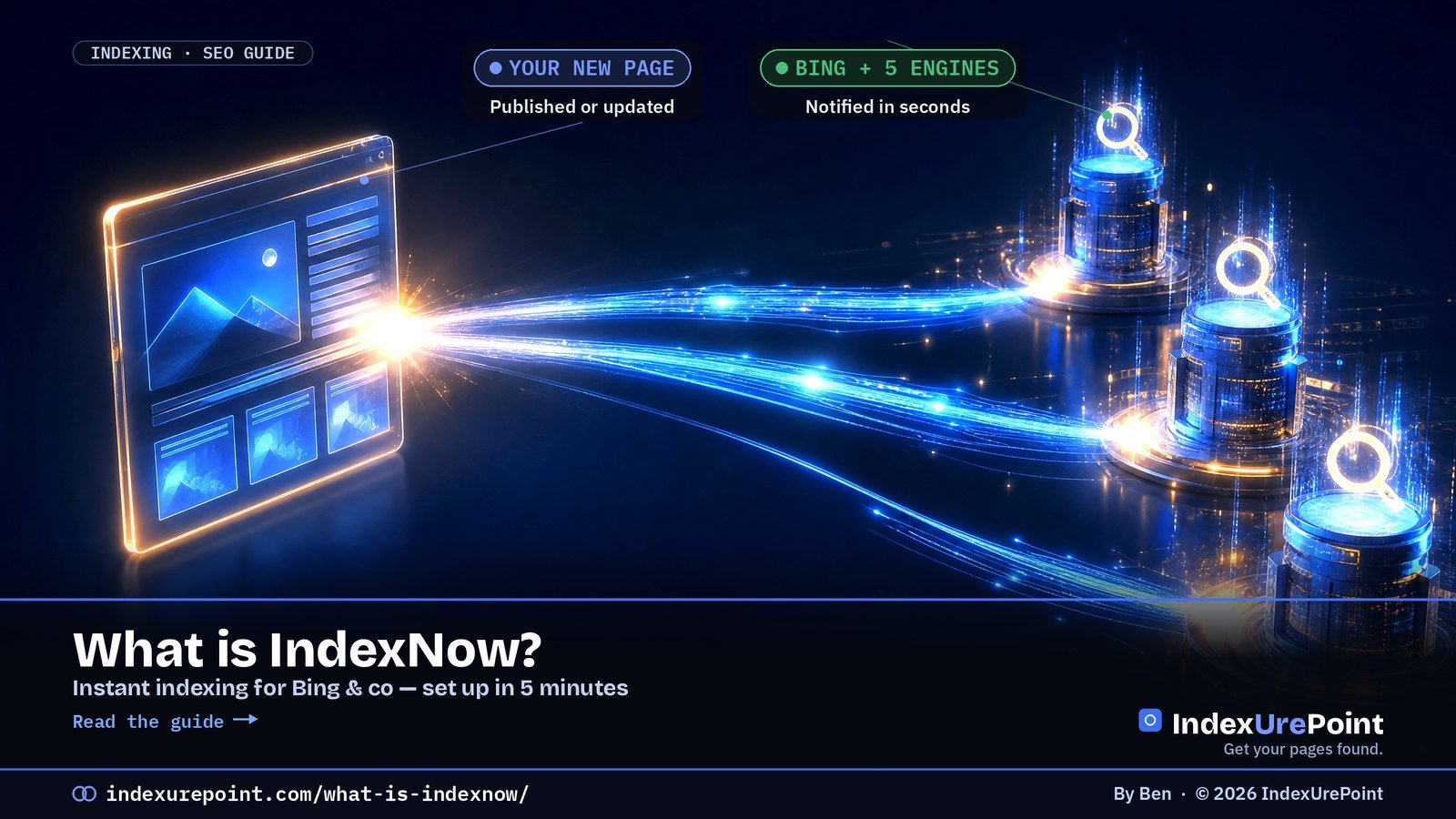
    IndexNow is a free, open protocol that lets your site tell search engines the moment a URL is added, updated or deleted — instead of waiting for them to notice on their next crawl.

    One ping reaches every participating engine: Bing, Yandex, Naver, Seznam.cz, Yep and Amazon share submissions with each other.

    Google does not use IndexNow. For Google you still rely on your sitemap, internal links and Search Console. IndexNow is a fast lane for everything else — including Bing, whose index feeds Microsoft Copilot.

    How IndexNow works — push instead of pull

    Classic crawling is pull: a search engine visits your site on its own schedule and discovers changes eventually. IndexNow flips that to push: when you publish or update a page, your site sends a tiny notification containing the URL and a key that proves you own the site.

    WITHOUT INDEXNOW

    Wait to be noticed

    What happens: engines find changes on their next crawl — hours, days or weeks later, depending on how often they visit.

    WITH INDEXNOW

    Tell them instantly

    What happens: the engine learns about the change within seconds and can prioritise a crawl. One submission is shared with all participants.

    Important nuance: IndexNow is a notification, not a guarantee. It gets your URL in front of the crawler fast; whether the page is indexed still depends on quality — exactly as with Google. A thin page pinged a hundred times is still a thin page.

    Who uses IndexNow — and who doesn’t

    • Participating: Microsoft Bing, Yandex, Naver, Seznam.cz, Yep and Amazon (IndexNow FAQ); by 2023 over 60 million websites were using the protocol (Wikipedia). Submit to any one endpoint and the URL is shared with the others.
    • Not participating: Google. Google tested the protocol years ago but still relies on its own crawling, sitemaps and Search Console. Don’t let anyone tell you IndexNow speeds up Google indexing.
    • Why it still matters in 2026: Bing’s index powers Bing search and Microsoft Copilot, and it’s one of the web indexes AI assistants draw on. Faster in Bing can mean faster in AI answers — see how to get cited in AI search.
    IndexNow Google Indexing API Sitemap
    Engines Bing, Yandex, Naver, Seznam, Yep, Amazon Google only All
    Allowed content Any page Job postings & livestreams only Any page
    Speed Seconds to notify Fast, but restricted Next crawl
    Risk None when used as intended Spam warning on misuse None

    Set up IndexNow in 5 minutes

    On WordPress (easiest)

    • Official plugin: install IndexNow (by Microsoft Bing) from Plugins → Add New. It generates the key, hosts the key file and automatically submits every new, updated or deleted post. That’s what this site uses.
    • Or your SEO plugin: Rank Math (Instant Indexing module), All in One SEO and Yoast SEO Premium include IndexNow support. Use one method, not several, to avoid duplicate pings.
    • On Cloudflare? Its Crawler Hints feature can send IndexNow signals for you.

    Any other site (manual)

    • Create a key of 8–128 characters (letters, numbers, hyphens).
    • Host it as a text file named {your-key}.txt in your site root, containing the key.
    • Submit changed URLs to api.indexnow.org/indexnow — one URL via a GET request, or up to 10,000 URLs in a single JSON POST.
    Check that it works
    Add your site to Bing Webmaster Tools. Its IndexNow section shows which URLs were received and when — the fastest way to confirm your setup is live.

    Rules that keep you out of trouble

    • Only submit real changes. New pages, meaningful updates and deletions. Re-pinging unchanged URLs wastes your quota and signals nothing.
    • Keep the key file reachable. If a security plugin or firewall blocks it, every submission fails verification.
    • Don’t replace the basics. IndexNow complements your XML sitemap and internal links — it doesn’t replace them. Bing still uses both.
    • Deleted a page? Submit it too, so engines drop it faster instead of showing a dead result.
    Our take
    IndexNow is the rare SEO tactic that’s free, official and zero-risk. Turn it on and forget it. Just don’t confuse it with Google: for Google, the path is still allowed → reachable → worth keeping.

    FAQ

    Does IndexNow work for Google?

    No. Google does not participate in IndexNow. For Google, use an XML sitemap, strong internal links and — sparingly — URL Inspection’s “Request indexing” in Search Console.

    Is IndexNow free?

    Yes. The protocol is open and free. The official WordPress plugin is free, and submitting URLs to the API costs nothing.

    How fast does Bing index a page after an IndexNow ping?

    Bing usually receives the notification within seconds and can crawl soon after, but there’s no guaranteed timeframe. Whether it indexes the page still depends on the page’s quality and your site’s trust.

    Can IndexNow hurt my site?

    Not when used as intended. Submitting only new, updated or deleted URLs is exactly what it’s for. The only “risk” is wasted effort from spamming unchanged URLs.

    Do I need IndexNow if I already have a sitemap?

    You don’t need it, but it helps. A sitemap waits to be read; IndexNow announces changes immediately. Use both.

    Which engines share IndexNow submissions?

    Submitting to any participating endpoint shares the URL with all others: Microsoft Bing, Yandex, Naver, Seznam.cz, Yep and Amazon, per the IndexNow FAQ.

    How many URLs can I submit via IndexNow?

    Up to 10,000 URLs per POST request; the engines set their own daily thresholds. Normal sites never get near the limits.

    iP
    IndexUrePoint is an independent guide to getting your pages found and indexed — Google, Bing, and AI search. We test tools ourselves and say plainly when something doesn’t work. Spotted an error? Tell us via the contact page; we’ll fix it and note the date.

  • How to Get Cited by AI Search: What the Data Shows (2026)

    How to Get Cited by AI Search: What the Data Shows (2026)

    Lees deze gids in het Nederlands →

    AI Search · Citations in 2026

    How do you get cited by AI search? Make sure AI crawlers can index the page, then write the clearest sourced answer to one specific question: AI Overviews, ChatGPT, Copilot and Perplexity only cite pages they can find in their index, and in tests sourced statistics and quotations raised visibility by up to 40%.

    Key takeaways
    • There is no submission form. Google says AI Overviews and AI Mode have no additional requirements beyond being indexed and eligible for a snippet.
    • In the GEO study (Princeton and IIT Delhi, KDD 2024), adding citations, quotations and statistics raised a page’s visibility in generative answers by up to 40%.
    • Ranking in the top 10 is no longer a guarantee: Ahrefs found that only 37.9% of URLs cited in AI Overviews also appeared in the first 10 results (863,000 SERPs).
    • Brand mentions on the web correlate more strongly with AI Overview visibility (0.664) than links or Domain Rating, across 75,000 brands.
    • Each assistant has its own search crawler: OAI-SearchBot (ChatGPT), Claude-SearchBot (Claude), PerplexityBot and Bingbot (Copilot). Block one and you disappear from that assistant’s answers.
    • Bing Webmaster Tools is the only free dashboard that counts AI citations directly; Google folds AI traffic into the normal Performance report.
    How this was checked. We re-read every rule and number on this page on 17 October 2026 at its source. That means Google’s AI features documentation (last updated 10 December 2025), the crawler pages of OpenAI, Perplexity and Anthropic, Microsoft’s Bing Webmaster blog, and the three studies cited, read on the study pages themselves. Statistics are quoted with their sample size; we flag the small ones.
    Short answer

    You can’t “submit” a page to AI Overviews, ChatGPT or Perplexity. They cite pages that are already indexable, trusted and easy to quote.

    So: let the search crawlers in, get indexed in both Google and Bing, then answer one question per section in the first two sentences, with a number and a named source. That is what the research measured, and it is the same work that makes a page rank.

    How does AI search decide which pages to cite?

    AI search tools answer from pages they retrieved from a search index, then cite the pages they used. Google is explicit that AI Overviews and AI Mode draw on pages that are indexed and eligible to be shown in Google Search with a snippet. ChatGPT search, Microsoft Copilot and Perplexity work the same way with their own crawlers and indexes.

    That gives two filters. First, retrieval: can the system find your page for the question? That is classic indexing, covered in our indexing diagnosis. Second, selection: among the retrieved pages, which one contains a sentence the model can lift with confidence? That is where writing and evidence decide.

    GETS CITED

    Quotable & sourced

    Looks like: a direct answer under a question heading, a specific number with its source, a named author or brand, a table.

    GETS SKIPPED

    Vague & buried

    Looks like: a long intro, the answer three scrolls down, claims without sources, a page that isn’t even indexed.

    What does the research say gets pages cited by AI?

    Three findings hold up, each from a study you can check yourself. None of them is a ranking formula; together they show where the levers are.

    40%maximum visibility gain in generative answers from GEO methods — Aggarwal et al., GEO, KDD 2024
    37.9%of URLs cited in AI Overviews also rank in Google’s top 10 (863K SERPs, ~4M cited URLs) — Ahrefs, March 2026
    0.664correlation between branded web mentions and AI Overview brand visibility (75,000 brands) — Ahrefs, May 2025
    87%of SearchGPT citations matched Bing’s top results, 56% Google’s (~100 queries) — Seer Interactive, Feb 2025

    Sources, quotes and statistics raise visibility

    The GEO paper by researchers at Princeton and IIT Delhi tested nine ways of rewriting a page on GEO-bench, a benchmark of 10,000 queries, and measured how much of the generated answer came from that page. Its abstract reports that GEO can boost visibility by up to 40%. In the paper itself the three best methods are Cite Sources, Quotation Addition and Statistics Addition, which gave a 30–40% relative improvement on its word-count metric and 15–30% on its impression metric. Keyword stuffing, the old SEO reflex, did not perform well.

    A top-10 ranking helps, but no longer decides

    Ahrefs analysed 863,000 keyword SERPs and about 4 million AI Overview URLs and found that 37.9% of cited URLs also appeared in the first 10 results. An earlier Ahrefs study had put the overlap near 76%; Ahrefs says its parsing changed, so the two numbers are not directly comparable. The practical lesson: pages beyond page one do get cited, if they answer the sub-question precisely.

    Mentions of your brand matter more than links

    Across 75,000 brands, Ahrefs found that branded web mentions had the strongest correlation (0.664) with being mentioned in AI Overviews, ahead of branded anchors (0.527), branded search volume (0.392) and Domain Rating (0.326). It is a correlation, not proof of cause, but it points the same way as the GEO paper: being talked about and quoted elsewhere is part of the signal.

    ChatGPT leans on Bing’s results

    Seer Interactive compared ChatGPT search citations with Bing and Google results for the same questions: 87% matched Bing’s top results, 56% Google’s. The authors call it a limited sample (about 100 queries, 500+ citations, early 2025), so treat it as a direction, not a law. The direction is clear enough: if Bing can’t index you, you are missing from a large share of ChatGPT answers. Our Bing Webmaster Tools guide covers the setup.

    Which crawler feeds which AI answer?

    Every assistant separates the crawler that powers its search answers from the one that collects training data. You can allow the first and block the second; blocking the search crawler removes you from that assistant’s citations.

    AI surface Search / citation crawler Training crawler or token Fetches on user request
    Google AI Overviews, AI Mode Googlebot (normal Search index) Google-Extended (token; no effect on Search) —
    ChatGPT search OAI-SearchBot GPTBot ChatGPT-User
    Claude Claude-SearchBot ClaudeBot Claude-User
    Perplexity PerplexityBot (not used for training) — Perplexity-User
    Microsoft Copilot, Bing AI summaries Bingbot (Bing index) — —

    OpenAI puts the consequence in one sentence: sites that opt out of OAI-SearchBot will not be shown in ChatGPT search answers, though they can still appear as navigational links. Note that the user-request fetchers (ChatGPT-User, Perplexity-User) may not follow robots.txt rules, according to their own documentation. The full robots.txt setup is in AI crawlers and robots.txt, and our Googlebot guide explains what Google-Extended does and doesn’t control.

    How do you get cited by AI search, step by step?

    1. Let the search crawlers in. Allow Googlebot, Bingbot, OAI-SearchBot, Claude-SearchBot and PerplexityBot in robots.txt and in your firewall. Decide separately about training crawlers.
    2. Get indexed in Google and Bing. No index, no citation. Fix crawled or discovered — not indexed first, and push new URLs to Bing with IndexNow.
    3. Answer in the first two sentences. Put the question in the heading and the answer directly under it, complete enough to stand on its own when quoted.
    4. Add a number and a source to every key claim. This is the Statistics Addition and Cite Sources effect from the GEO paper. Link the primary source, not a summary of it.
    5. Quote a named expert or document. Quotation Addition was the other top method. A short, attributed quote from official documentation counts.
    6. Structure for extraction. One topic per section, short paragraphs, comparison tables, a FAQ in plain question form. Keep the important text in the HTML, not behind scripts or tabs that need clicks.
    7. Keep snippets allowed. Google uses nosnippet, data-nosnippet, max-snippet and noindex to control what AI features may show. A restrictive max-snippet limits what can be quoted.
    8. Get mentioned elsewhere. Original data, a free tool or a clear opinion earns the brand mentions that correlate with AI visibility. Answer engine and generative engine optimization are mostly this; see AEO vs GEO.
    9. Keep it current. Put a visible update date on the page and change it only when the content changes.
    Our take
    Don’t chase “AI ranking hacks”. Every lever that the studies measured — sources, quotes, numbers, being indexed, being mentioned — also makes a page better for people. Anyone selling “guaranteed AI citations” is selling the same thing as “guaranteed #1 on Google”.

    How do you measure whether AI cites you?

    • Bing Webmaster Tools → AI Performance. Since the public preview of February 2026 it counts citations in Microsoft Copilot, AI summaries in Bing and select partner integrations: total citations, cited pages, grounding queries and trends. In October 2026 Microsoft added Topics Portfolio, which groups those grounding queries into themes.
    • Google Search Console. There is no separate AI report filter: Google says AI Overview and AI Mode traffic is counted in the Performance report within the “Web” search type. What Search Console does show about AI features is explained in the Generative AI report explained.
    • Referral traffic. In your analytics, watch visits from chatgpt.com, perplexity.ai, claude.ai and copilot.microsoft.com.
    • Manual spot checks. Ask your target questions in each assistant once a month and note who is cited. Keep the prompts identical so the trend means something.

    What doesn’t get you cited?

    • An llms.txt file. Google says you don’t need new machine-readable files, AI text files or markup to appear in its AI features. It is optional housekeeping at best; details in what llms.txt does and doesn’t do.
    • Keyword stuffing. It was one of the methods that did not help in the GEO tests.
    • Special “AI schema”. Google lists no special markup for AI Overviews. Normal structured data still helps Google understand the page; it is not a citation switch.
    • Blocking every AI crawler and still expecting citations. You can’t have both; choose per crawler.

    FAQ

    How do I get my website cited by AI?

    Let the AI search crawlers in, get indexed in Google and Bing, and answer each question in the first two sentences with a specific number and a linked source. In the GEO study, citations, quotes and statistics raised visibility in AI answers by up to 40%.

    Can I submit my site to ChatGPT or Perplexity?

    No. They don’t take submissions. ChatGPT search uses OAI-SearchBot and leans heavily on Bing’s results; Perplexity uses PerplexityBot. Being crawlable and indexed is the only entry point.

    Do AI Overviews use the normal Google index?

    Yes. Google says a page must be indexed and eligible for a snippet, with no additional requirements and no special optimization, to appear in AI Overviews or AI Mode.

    Do I need to rank in the top 10 to be cited in AI Overviews?

    No. In Ahrefs’ 2026 study only 37.9% of URLs cited in AI Overviews were also in the top 10 results. A precise answer to a sub-question can be cited from further down.

    Will blocking GPTBot remove me from ChatGPT search?

    No. GPTBot is OpenAI’s training crawler. ChatGPT search uses OAI-SearchBot; only blocking that one keeps you out of ChatGPT search answers.

    How long does it take to get cited by AI search?

    There is no fixed timeline. A page first has to be crawled and indexed, then retrieved for the question. Pushing new URLs to Bing with IndexNow shortens the first step for Bing and Copilot; Google has no equivalent push, so there you rely on sitemaps and internal links.

    How do I see if Copilot or ChatGPT cites my pages?

    For Copilot and Bing’s AI summaries, use the AI Performance report in Bing Webmaster Tools. For ChatGPT, Claude and Perplexity there is no official dashboard: check referral traffic and spot-check your target questions by hand.

    Is AEO or GEO different from SEO?

    Mostly it is SEO with more weight on quotable answers, sources and brand mentions. The foundation — crawlable, indexed, useful pages — is the same.

    iP
    IndexUrePoint is an independent guide to getting your pages found and indexed — Google, Bing, and AI search. We test tools ourselves and say plainly when something doesn’t work. Spotted an error? Tell us via the contact page; we’ll fix it and note the date.

  • Why Isn’t Google Indexing My Site? A Step-by-Step Diagnosis

    Why Isn’t Google Indexing My Site? A Step-by-Step Diagnosis

    Nederlands: Website aanmelden bij Google →

    2026: also see How to get cited in AI search →

    Google Search Console · Indexing

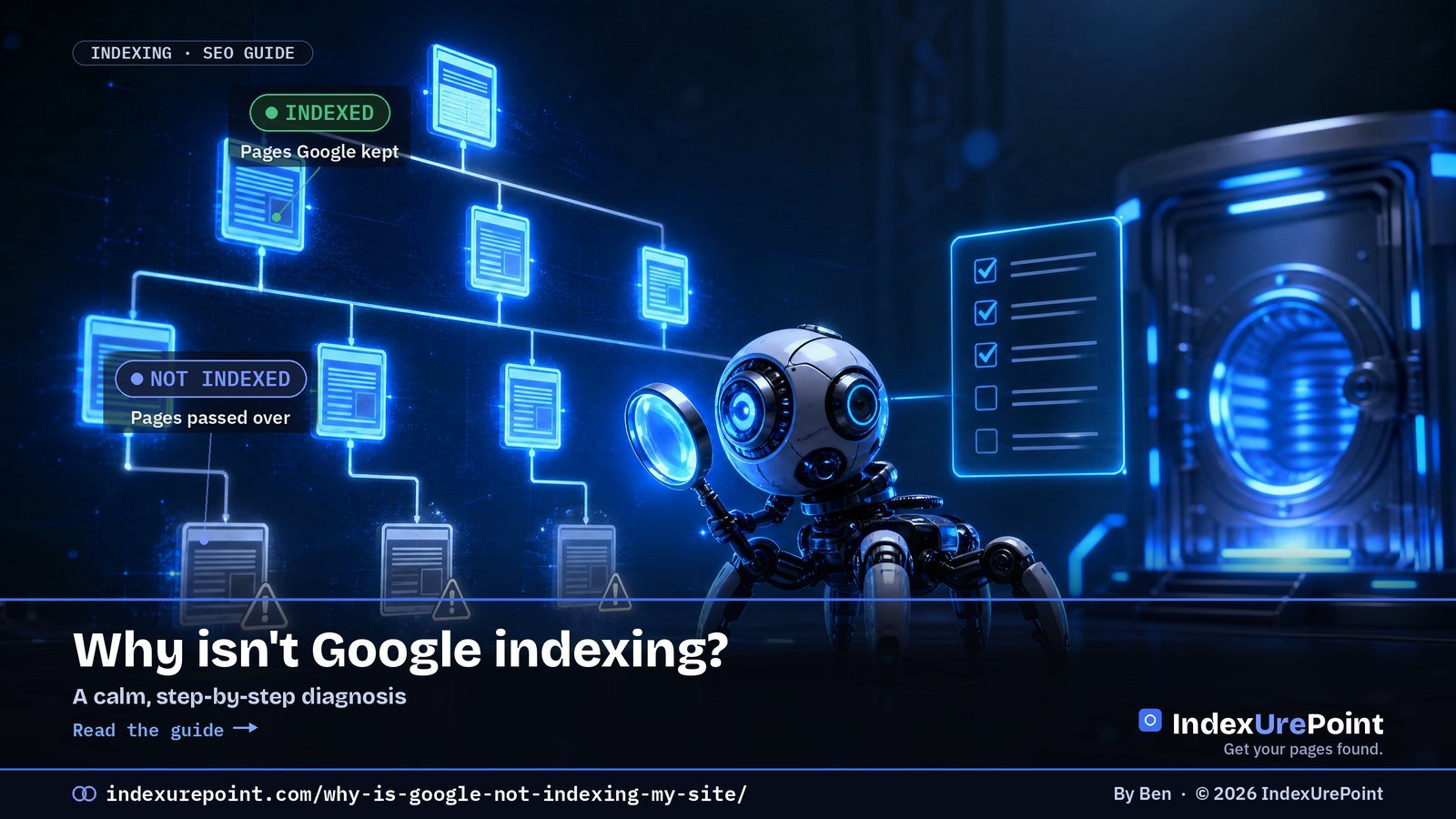
    A page stays out of Google for one of three reasons: Google has not found it, found it but has not crawled it, or crawled it and decided not to keep it — work through allowed → reachable → worth keeping, in that order.

    Key takeaways
    • Step 1 — allowed: rule out noindex, robots.txt blocks, “Discourage search engines” and stray canonicals first; they are the fastest fixes.
    • Step 2 — reachable: orphan pages and missing sitemap entries are the classic discovery killers.
    • Step 3 — worth keeping: persistent “Crawled – currently not indexed” on a healthy site is a quality judgement, not a glitch.
    • Your exact Search Console status tells you which stage you are stuck at — match the label to the fix.
    • Most “not indexed” panic on young sites is just time: Google says indexing can take days to weeks.
    How this was checked. Written against Google’s Search Central documentation and cross-checked with real practitioner threads on r/SEO, r/bigseo and r/TechSEO. This is the hub; each step links to a deeper guide where it helps.
    Short answer

    A page isn’t indexed for one of three reasons: Google hasn’t found it, found it but hasn’t crawled it, or crawled it and decided not to keep it.

    Work top to bottom: first make sure the page is allowed and reachable, then make it worth keeping. Most “not indexed” panic is really a young site that just needs time.

    1. Is the page even allowed to be indexed?

    Before anything else, rule out the settings that tell Google to stay away. These are the fastest, most common fixes:

    • A stray noindex tag (meta robots or the X-Robots-Tag HTTP header). This alone blocks indexing entirely — check the page source and response headers.
    • Blocked in robots.txt. Blocking crawl means Google can’t read the page to index it. Confirm the URL isn’t disallowed.
    • The whole site is set to “Discourage search engines” (WordPress → Settings → Reading). Easy to leave on after launch.
    • A canonical pointing elsewhere. If the page defers to another URL, Google indexes that one instead. We cover this in depth in Duplicate, Google chose different canonical than user.

    2. Can Google find and reach the page?

    If the page is allowed but still absent, the issue is discovery or crawling — not quality. Check:

    • Internal links. Orphan pages (nothing links to them) are the classic cause. Link the page from strong, already-indexed pages.
    • Sitemap. The URL should be in your XML sitemap, and the sitemap submitted in Search Console.
    • Click depth and server health. Pages buried deep, or served slowly / with 5xx errors, get crawled last.
    If GSC says “Discovered – currently not indexed”
    That’s this exact stage: found, not fetched. The fix is links and crawl priority, not content. Full playbook in Crawled vs. Discovered — currently not indexed.

    3. Is the page worth keeping?

    If Google has crawled the page and still won’t index it, this is a value judgement. Be honest with yourself:

    • Is it substantially unique, or a near-duplicate of something you (or others) already published?
    • Does it answer a real query better than what currently ranks?
    • Is it thin? Consolidate several weak pages into one strong one and redirect.

    Persistent “crawled – not indexed” on a healthy site is usually Google’s read on content quality or domain authority — not a technical glitch. The fix is making the page genuinely worth a spot.

    GSC status Stage Guide
    Excluded by noindex / Blocked by robots.txt Not allowed noindex · robots.txt
    Discovered – currently not indexed Not fetched Crawled vs. Discovered
    Crawled – currently not indexed Fetched, not kept Crawled vs. Discovered
    Duplicate / canonical statuses Kept — as another URL Duplicates · Canonical choice
    Soft 404 / Page with redirect Looks absent Soft 404 · Redirects

    Read your exact Search Console status

    Search Console tells you which stage you’re stuck at — match the label to the fix (full list in Google’s Page indexing documentation):

    DISCOVERED

    Found, not fetched

    Discovery/priority problem. See the full guide.

    CRAWLED

    Fetched, not kept

    Value problem. Improve the page, then let Google recrawl.

    Brand-new site and everything’s slow? That’s often normal — see how long Google takes to index before you worry.

    Other statuses you might see

    Seeing a 403 or 401 in the report? That means Googlebot was refused at the door — usually by a firewall or bot filter. See blocked due to access forbidden (403).

    Seeing a duplicate or canonical status? Our guide to canonical tags and indexing explains every one of them.

    FAQ

    Google indexed my old pages but not new ones. Why?

    Usually discovery or crawl priority: the new pages aren’t linked strongly yet, or the site’s crawl budget is spent elsewhere. Add internal links from established pages and make sure they’re in your sitemap.

    I requested indexing days ago and nothing happened.

    “Request indexing” queues the URL; it doesn’t force it. If the page is allowed, reachable, and worth keeping, it’ll come. If it stays out past a few weeks on an established site, revisit steps 1–3.

    Does Google index every page of a site?

    No, and it shouldn’t. Thin, duplicate, or utility pages are often deliberately left out. Focus indexing effort on the pages that deserve to rank.

    Will paid indexing services fix this?

    Rarely and not durably. They mostly help get backlinks discovered, not your own pages accepted. If Google crawled and declined a page, pinging it again changes nothing — fix the cause.

    What should I check first when a page is not indexed?

    The cheap switches: a noindex tag, a robots.txt block, WordPress’s “Discourage search engines” setting and the canonical. Only then look at links and content quality.

    Is paying for indexing services a shortcut?

    For your own pages, no: if Google crawled and declined a page, pinging it again changes nothing. Fix the reason it was declined.

    iP
    IndexUrePoint is an independent guide to getting your pages found and indexed — Google, Bing, and AI search. We test tools ourselves and say plainly when something doesn’t work. Spotted an error? Tell us via the contact page; we’ll fix it and note the date.

  • How Long Does Google Take to Index a Page? (Realistic Timeframes)

    How Long Does Google Take to Index a Page? (Realistic Timeframes)

    Lees deze gids in het Nederlands →

    New here? Start with Why isn’t Google indexing my site? →

    Related: Crawled vs. Discovered →

    Google Search Console · Indexing speed

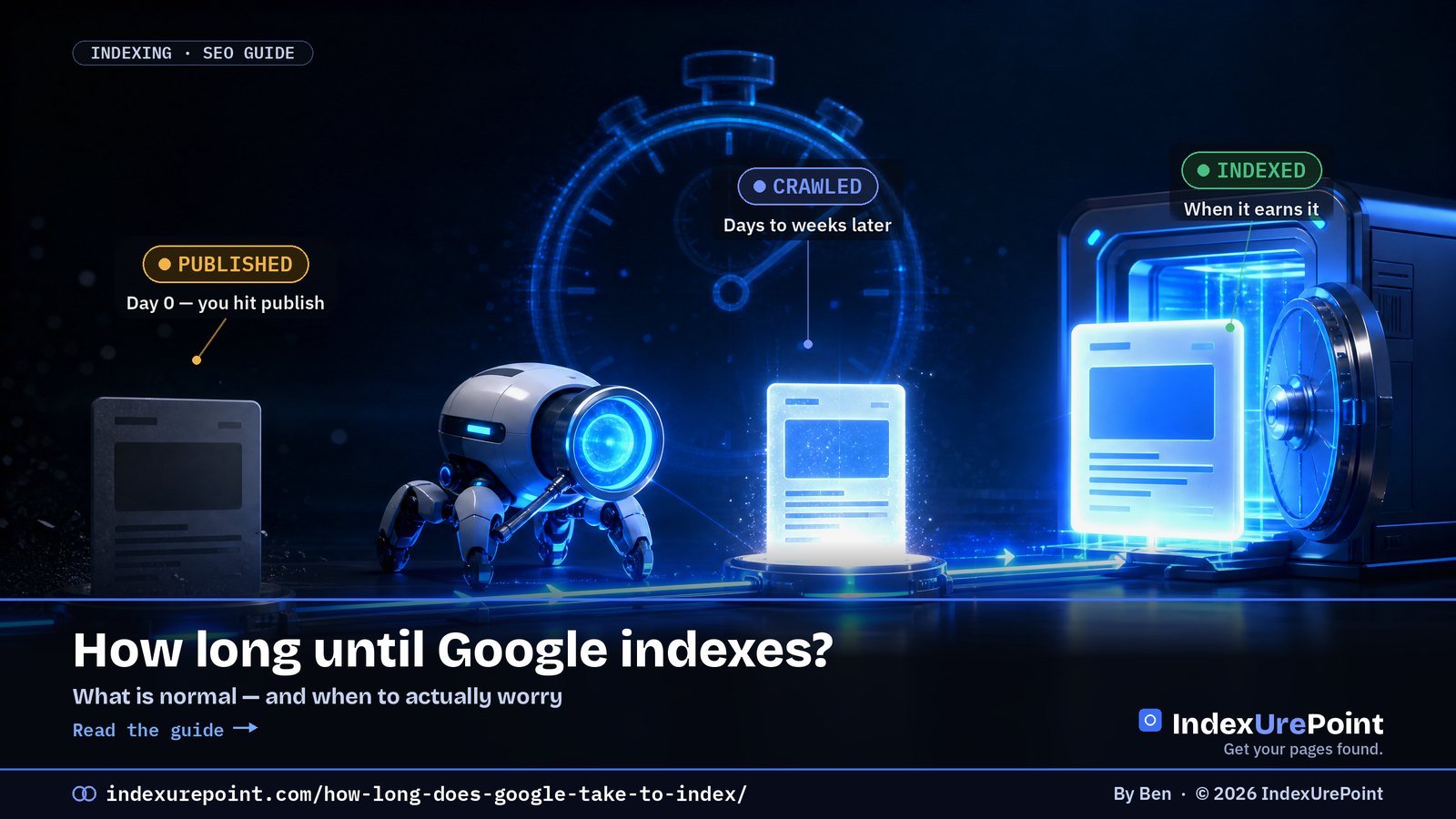
    On an established, healthy site a new, internally linked page is usually indexed within a few hours to about a week; on a brand-new domain, expect days to several weeks — there is no fixed timer, only trust, links and quality.

    Key takeaways
    • Indexing is three stages — discover, crawl, index — and the wait can happen at any of them.
    • Google’s own guidance: crawling and indexing “can take anywhere from a few days to a few weeks.”
    • The most reliable accelerator is an internal link from a strong, already-indexed page.
    • “Request indexing” queues a URL once; practitioners note the ~10/day limit and that repeat submissions change nothing.
    • Worry only when a well-linked, valuable page on an established site stays out past 3–4 weeks.
    How this was checked. Written against Google’s Search Central guidance on crawling and indexing and cross-checked with real practitioner reports on r/SEO and r/TechSEO. Timeframes are typical ranges, not guarantees — we say plainly where “it depends.”
    Short answer

    On an established, healthy site, a new page that’s linked internally is usually indexed within a few hours to about a week.

    On a brand-new domain, expect days to several weeks — sometimes longer — while Google learns to trust the site.

    There’s no fixed timer. Google indexes a page when it has crawled it and decided it’s worth keeping. Speed follows trust, links, and quality — not the clock.

    The three stages — and where the time actually goes

    “Indexing” isn’t one step. A page moves through three, and the wait can happen at any of them:

    1 · DISCOVER

    Google finds the URL

    The wait here: hours to days. Speed up with a sitemap and internal links from pages Google already crawls.

    2 · CRAWL

    Googlebot fetches it

    The wait here: hours to weeks, set by crawl budget and priority. Fast, error-free servers help.

    The third stage — index — is where Google decides whether the fetched page is worth keeping. A thin or duplicate page can be crawled quickly and still never make it in. That’s a quality decision, not a speed one.

    Typical timeframes (what “normal” looks like)

    • Established site, well-linked page: a few hours to ~1 week.
    • Established site, weakly-linked or deep page: 1–4 weeks.
    • Brand-new domain: days to several weeks for the first pages, faster once the site earns trust.
    • Thin, duplicate, or low-value page: may never index, regardless of time. Fix the page, not the wait.
    The honest caveat
    Anyone promising an exact number is guessing. Google’s own line is that crawling and indexing “can take anywhere from a few days to a few weeks,” and it depends heavily on the site. Treat ranges as expectations, not deadlines.
    Situation Typical time to indexed Main lever
    Established site, well-linked page Hours to ~1 week Keep doing what works
    Established site, deep or weakly linked page 1–4 weeks Internal links, click depth
    Brand-new domain Days to several weeks Publish + earn links, patience
    Thin or duplicate page Possibly never Improve or consolidate content

    How to get indexed faster (the levers that actually move it)

    • Link the new page internally from strong, already-indexed pages. This is the single most reliable accelerator — it pulls the URL into the crawl queue.
    • Keep it in your sitemap and make sure the sitemap is submitted in Search Console.
    • Use URL Inspection → Request indexing once, for a genuinely ready page. Once — not daily.
    • Fix crawl waste. If Googlebot burns budget on parameter URLs, redirects, or 5xx errors, your good pages wait longer.
    • For Bing, use IndexNow. It notifies Bing and other engines the moment you publish — see what IndexNow is. (Google doesn’t use it.)
    • Make the page worth keeping. Unique, useful content indexes faster and stays indexed. Speed is downstream of quality.

    When to actually worry

    Worry when a well-linked, high-value page on an established site stays unindexed past 3–4 weeks. Before then, on a young domain especially, waiting is the correct move. Panic-submitting the same URL every day does nothing but raise your blood pressure. Check the status in Search Console: if it says Discovered, it’s a discovery/priority issue; if it says Crawled – currently not indexed, it’s a value issue.

    Crawling comes first. Before Google can index a page it has to fetch it — see how often Google crawls a site, with real Crawl Stats from this site.

    FAQ

    Does “Request indexing” make it instant?

    No. It moves the URL higher in the crawl queue, but Google still decides when to crawl and whether to index. It often helps within hours to days for a ready page; it does nothing for a thin one.

    Why is my brand-new site taking so long?

    New domains have little trust and few links, so Google crawls cautiously. Keep publishing useful pages and earning links; indexing speed improves as the site proves itself. Several weeks early on is normal.

    My page was indexed, then disappeared. Why?

    Google re-evaluates over time. A page can be dropped if it’s judged thin, duplicate, or lower-value than alternatives. Improve and strengthen it, then let Google recrawl.

    Does publishing more often speed up indexing?

    Indirectly. A site that regularly publishes useful content tends to get crawled more frequently — but frequency without quality doesn’t help. Consistency plus value is what earns faster crawls.

    Does Google index faster at certain times?

    No credible evidence supports publish-time tricks. Crawl frequency follows your site’s trust, health and update pattern, not the clock or day of the week.

    Do social media shares speed up indexing?

    Indirectly at best. Most social links are nofollow; the reliable path stays internal links, a sitemap and, for Bing, IndexNow.

    iP
    IndexUrePoint is an independent guide to getting your pages found and indexed — Google, Bing, and AI search. We test tools ourselves and say plainly when something doesn’t work. Spotted an error? Tell us via the contact page; we’ll fix it and note the date.

  • Duplicate, Google Chose Different Canonical Than User: What It Means and How to Fix It

    Duplicate, Google Chose Different Canonical Than User: What It Means and How to Fix It

    Part of our guide: canonical tags and indexing, every Search Console status explained →

    Lees deze gids in het Nederlands →

    New here? Start with Why isn’t Google indexing my site? →

    Related: Crawled vs. Discovered — currently not indexed →

    Google Search Console · Canonicalization

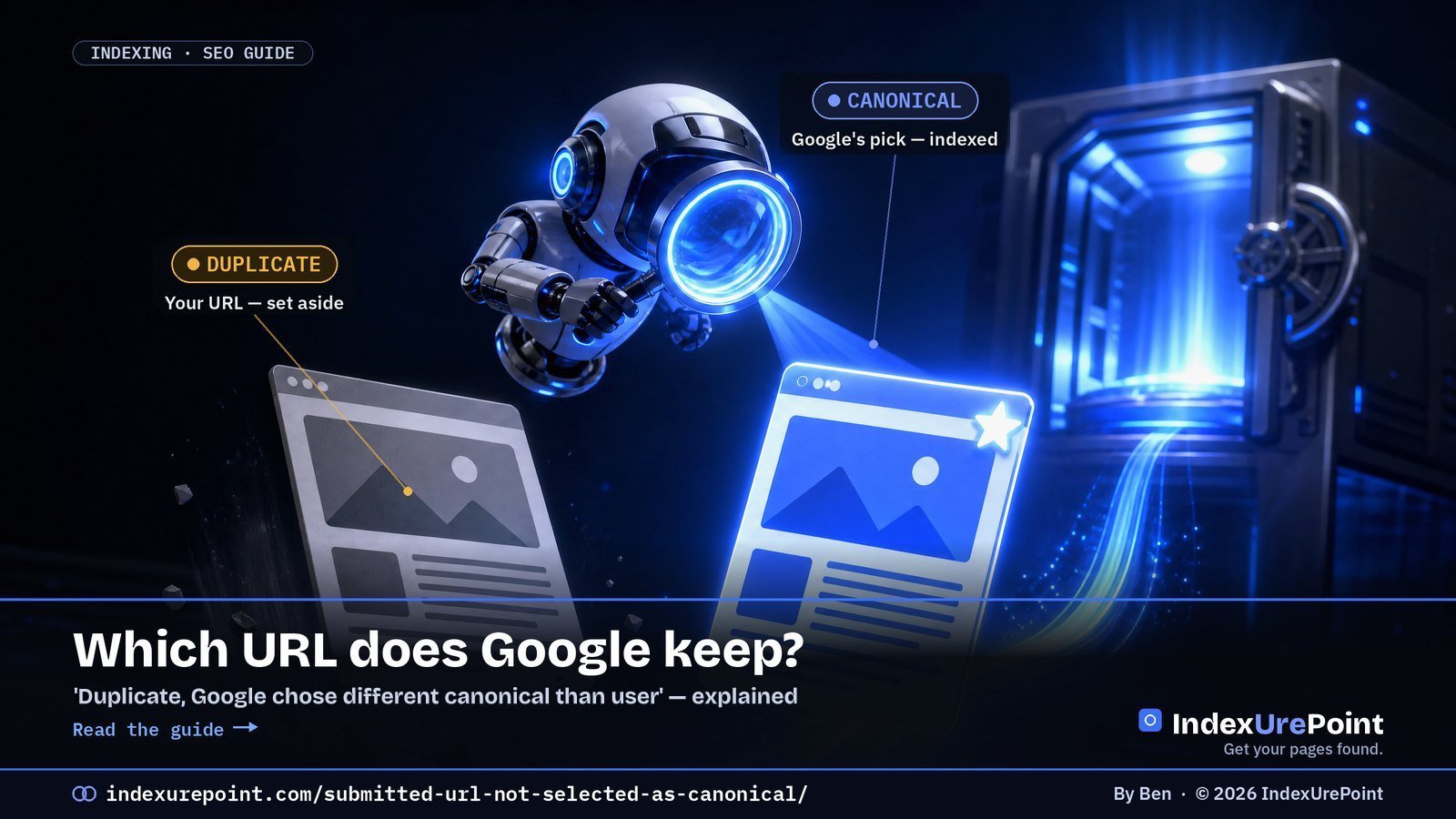
    What does “Duplicate, Google chose different canonical than user” mean? You marked this URL as the canonical, with a rel=”canonical” tag or by listing it in your sitemap, but Google decided a different URL is the better version and indexed that one instead — not a bug, a disagreement.

    Key takeaways
    • Google groups near-identical URLs and indexes exactly one: the canonical. Your tag is a hint, not a command.
    • It is not the same as “Duplicate without user-selected canonical”: there the page declares no canonical at all, and Google picked one for you.
    • “Alternate page with proper canonical tag” is usually fine: you pointed, Google agreed.
    • The cure is alignment: sitemap, canonical tag, internal links and redirects must all name the same URL.
    • Re-submitting in URL Inspection does not change Google’s canonical choice — fixing the signal conflict does.
    • Google can hold pages in a duplicate cluster for up to two weeks, so give a fix time before you judge it.
    How this was checked. Status names and definitions re-checked on 18 October 2026 against Google’s Page indexing report help page and the canonicalization documentation (last updated 20 August 2026). Written against Google’s Search Central documentation on canonicalization and duplicate URLs, and cross-checked with real practitioner threads on r/TechSEO and r/bigseo. Where the docs and the community disagree, we say so.
    Short answer

    “Duplicate, Google chose different canonical than user” means you told Google this URL is the canonical (with a canonical tag or your sitemap), but Google decided a different URL is the real version and indexed that one instead.

    Older guides and audit tools call this “Submitted URL not selected as canonical”. That name comes from Search Console’s old Index Coverage report and is not in Google’s current list of statuses; the situation it described now shows up as Duplicate, Google chose different canonical than user or, when the page declares no canonical, as Duplicate without user-selected canonical.

    Neither is a bug. It’s Google saying “I found a page I think is the same as this — and I picked the other one.” Your job is to make your preferred URL the obvious winner.

    What does “canonical” actually mean?

    When two or more URLs show Google near-identical content, Google groups them and picks one to index and rank. That chosen URL is the canonical. The others are treated as duplicates and quietly set aside — they still exist, they just don’t get their own spot in the index.

    You can suggest a canonical (with a rel=”canonical” tag, your sitemap, internal links, redirects). But Google treats your tag as a hint, not a command. When Google’s own signals point elsewhere, it overrides you — and that’s exactly what these Search Console messages are telling you.

    Google’s own Page indexing report documentation describes this status in one line: “This page is marked as canonical for a set of pages, but Google thinks another URL makes a better canonical.” Google then indexes the URL it chose, not yours.

    Which canonical statuses will you see, and what does each one mean?

    YOU DECLARED

    Google disagreed

    “Duplicate, Google chose different canonical than user”: your rel=”canonical” or sitemap names this URL; Google indexed a different one it considers the original.

    NO DECLARATION

    Google picked for you

    “Duplicate without user-selected canonical”: the page declares no canonical; Google sees it as a duplicate and chose another URL.

    A close cousin, “Alternate page with proper canonical tag,” is usually fine: it means the page correctly points to another canonical, and Google agreed. That one you can normally ignore — it’s the system working as intended. Every canonical status side by side is in our guide to canonical tags and indexing.

    How do you check if Google chose a different canonical?

    Open URL Inspection in GSC. Compare “User-declared canonical” with “Google-selected canonical.” Different URLs = Google chose a different canonical than you.
    They differ → you disagree with Google
    1. Is the content truly unique, or near-identical to the chosen URL?
    2. Do your internal links point to the URL you want?
    3. Is your rel=”canonical” self-referencing and correct?
    Google picked a weaker URL → signals conflict
    1. Does the chosen URL have more internal/external links?
    2. Are there http/https or www/non-www duplicates?
    3. Do sitemap, canonical and redirects all agree?

    Each “no” is a signal you can align. The goal is simple: make every signal point to the same, single URL.

    Two limits, both from Google’s URL Inspection documentation: the live test cannot predict whether the tested version will be chosen as canonical, because Google decides that at indexing time, and the indexed values can be a few hours old. Our guide to checking if a page is indexed walks through the tool step by step.

    Signal Should point to Common conflict
    rel="canonical" tag The page itself (self-referencing) Copied templates pointing elsewhere
    XML sitemap Final, canonical URLs only Parameter or redirecting URLs listed
    Internal links The clean canonical URL Menus linking to variants
    Redirects Variants → canonical, one hop http/www variants left resolving

    How do you fix “Google chose different canonical than user”?

    • Make your signals agree. Your sitemap, your rel=”canonical”, your internal links, and any redirects should all name the same URL. Mixed signals are the number-one cause of Google overriding you.
    • Self-reference the canonical. Every important page should point its canonical tag at itself (unless it genuinely is a duplicate). A missing or wrong tag invites Google to guess.
    • Kill accidental duplicates. http vs https, www vs non-www, trailing slashes, tracking parameters, and printer/AMP variants all create twins. Redirect the variants to one canonical version; those variants then show up as Page with redirect, which is expected.
    • Strengthen the URL you want. If Google chose a different page because it has more links, add internal links to your preferred URL from strong, already-indexed pages. A preferred URL with no internal links at all is an orphan page; fix that first.
    • Consolidate genuinely thin duplicates. If two pages really are the same, don’t fight it — merge them and 301-redirect the loser. One strong page beats two competing ones.
    • Rule out the less obvious causes. Google’s canonicalization troubleshooting guide also lists language variants without hreflang, incorrect canonical elements (often from a CMS or plugin), misconfigured servers, hacked pages, syndicated content and copycat sites.
    Our take
    Don’t spam URL Inspection’s “Request indexing” hoping Google flips its choice. It won’t, and it wastes your time. Fix the underlying signal conflict, then let Google recrawl and re-evaluate on its own schedule.

    When is a different canonical completely normal?

    Plenty of these entries are harmless. Paginated pages, filtered/faceted URLs, and syndicated content should point to a canonical elsewhere — and “Alternate page with proper canonical tag” confirms that’s working. Only act when a URL you genuinely want indexed is being passed over for another.

    FAQ

    Is “Duplicate, Google chose different canonical than user” hurting my rankings?

    Not directly — the content still ranks via the URL Google chose. It only hurts if the chosen URL is a weaker or wrong version, or if link equity is being split across duplicates. Fix the signals so your preferred URL wins.

    Will a rel=”canonical” tag force Google to obey?

    No. It’s a strong hint, not a directive. If your other signals (links, sitemap, redirects) contradict the tag, Google can and will override it. Alignment beats any single tag.

    How long until Google changes its canonical choice?

    After you align the signals, it can take days to a few weeks for Google to recrawl both URLs and re-evaluate; Google says it can hold pages in a duplicate cluster for up to two weeks. Don’t re-submit repeatedly; give it one clean recrawl cycle.

    Should I worry about “Alternate page with proper canonical tag”?

    Usually not. It means the page correctly defers to another canonical and Google agreed — the system working as designed. Only investigate if the “alternate” is actually a unique page you wanted indexed.

    Can I force Google to accept my canonical?

    No single signal forces it. Google weighs your tag against links, sitemap, redirects and content similarity; when they all agree, Google almost always follows.

    Does this status mean my content is duplicated somewhere else on the web?

    Not necessarily. Most cases are internal: your own URL variants. Cross-site canonicals matter mainly for syndicated content.

    iP
    IndexUrePoint is an independent guide to getting your pages found and indexed — Google, Bing, and AI search. We test tools ourselves and say plainly when something doesn’t work. Spotted an error? Tell us via the contact page; we’ll fix it and note the date.

  • Gecrawld vs. Gevonden — momenteel niet geïndexeerd: wat het betekent en hoe je het oplost

    Gecrawld vs. Gevonden — momenteel niet geïndexeerd: wat het betekent en hoe je het oplost

    Read this guide in English →

    Nieuw hier? Begin met Website aanmelden bij Google →

    Google Search Console · Indexering

    “Gevonden – momenteel niet geïndexeerd” betekent dat Google je URL kent maar nooit heeft opgehaald; “Gecrawld – momenteel niet geïndexeerd” betekent dat Google de pagina wél heeft opgehaald en hem niet wilde bewaren. Dat ene verschil — opgehaald of niet — bepaalt welke oplossing werkt.

    Belangrijkste punten
    • Gevonden = een vindbaarheids-/prioriteitsprobleem: oplossen met interne links en crawlprioriteit, niet met tekstwijzigingen.
    • Gecrawld = een waardeprobleem: Google zag de pagina en sloeg hem over. Verbeter of voeg de inhoud samen.
    • Google zegt zelf dat indexeren “enkele dagen tot enkele weken” kan duren — op nieuwe sites is wachten vaak het juiste antwoord.
    • In de Reddit-draadjes die we analyseerden zitten pagina's 2,5 week tot 3+ maanden vast; één programmatische site had 29 pagina's die na 8+ weken nog nooit waren opgehaald.
    • De vaakst genoemde oplossing op r/SEO en r/bigseo: interne links vanaf sterke, al geïndexeerde pagina's — niet opnieuw indienen via URL-inspectie.
    Hoe dit is gecontroleerd. Geschreven op basis van Google’s eigen Search Central-documentatie en gekruist met echte praktijkdraadjes op r/SEO, r/bigseo en r/TechSEO. Waar de community en de documentatie elkaar tegenspreken, zeggen we dat erbij.
    Kort antwoord

    “Gevonden – momenteel niet geïndexeerd” betekent dat Google weet dat je URL bestaat, maar hem nog niet heeft opgehaald — meestal een kwestie van crawlbudget of lage prioriteit. De pagina is nooit opgehaald.

    “Gecrawld – momenteel niet geïndexeerd” betekent dat Google de pagina wél heeft opgehaald en er daarna voor koos om hem niet te indexeren — meestal een signaal over kwaliteit, duplicatie of dunne inhoud.

    Dat ene verschil — opgehaald of niet — bepaalt je oplossing. Gevonden is een vindbaarheids-/prioriteitsprobleem; Gecrawld is een waardeprobleem.

    Het ene verschil dat je oplossing verandert

    Beide statussen staan in hetzelfde rapport van Google Search Console, en mensen behandelen ze als hetzelfde probleem. Dat zijn ze niet. De scheidslijn is één vraag: heeft Googlebot de pagina daadwerkelijk opgehaald?

    GEVONDEN

    Gevonden, niet opgehaald

    Wat het betekent: Google zag de URL (in je sitemap of via een link) maar heeft hem nog niet gecrawld. Hij staat in de wachtrij.

    GECRAWLD

    Opgehaald, niet bewaard

    Wat het betekent: Google heeft de pagina gecrawld, beoordeeld en besloten hem (nog) niet aan de index toe te voegen.

    Krijg je dit helder, dan wordt de rest eenvoudiger. Jagen op “crawlbudget” terwijl je echte probleem dunne inhoud is, kost je weken — een punt dat praktijkmensen op r/bigseo telkens maken over pagina’s die “8+ weken vastzitten” en die geen enkele herindiening losmaakt.

    Welke van de twee heb jij? Een beslissing in 30 seconden

    Open de status van de pagina in GSC. Welk label toont hij?
    Gevonden → prioriteitsprobleem
    1. Is de URL binnen ≤3 klikken vanaf je homepage te bereiken?
    2. Staat hij in je sitemap en krijgt hij interne links?
    3. Is je server snel en foutvrij in de logs?
    Gecrawld → waardeprobleem
    1. Is de inhoud wezenlijk uniek t.o.v. andere pagina’s?
    2. Beantwoordt hij een echte zoekvraag beter dan wat nu rankt?
    3. Is hij canoniek, of een bijna-duplicaat van een andere URL?

    Beantwoord de drie vragen in jouw kolom. Elke “nee” is een knop waar je aan kunt draaien — in de volgorde waarin ze staan.

    Oplossingen die écht werken (en de volgorde om ze te proberen)

    Is het Gevonden — maak de pagina makkelijk en de moeite waard om te bereiken

    • Voeg interne links toe vanaf sterke, al geïndexeerde pagina’s. Dit is de meest genoemde fix in praktijkdraadjes: een link vanaf een pagina die Google al vertrouwt trekt de vastzittende URL sneller de crawlwachtrij in dan opnieuw indienen ooit doet.
    • Maak de klikdiepte kleiner. Pagina’s die 5+ klikken diep zitten lezen als lage prioriteit. Haal ze naar voren vanaf hubs en categoriepagina’s.
    • Controleer je serverlogs op verspild crawlbudget. Als Googlebot zijn budget verbrandt aan parameter-URL’s, facetfilters of 5xx-fouten, verhongeren je goede pagina’s. Blokkeer de rommel in robots en los de fouten op.

    Is het Gecrawld — geef Google een reden om hem te bewaren

    • Verhoog de unieke waarde van de pagina. Voeg eigen inzicht, data of een helderder antwoord toe dan de huidige topresultaten. “Gecrawld – niet geïndexeerd” is vaak Google die zegt dit hebben we al.
    • Voeg dunne of bijna-dubbele pagina’s samen. Tien oppervlakkige pagina’s die elk worden afgewezen zijn slechter dan één sterke pagina. Samenvoegen en doorverwijzen.
    • Los canonieke verwarring op. Als twee URL’s er voor Google hetzelfde uitzien, houdt hij er één en laat de ander vallen. Maak je canonicals expliciet.
    • Dan — en pas dan — vraag indexering aan. Gebruik URL-inspectie spaarzaam zodra de pagina het echt verdient. Een zwakke pagina opnieuw indienen verandert niets.
    De ongemakkelijke waarheid waar praktijkmensen telkens op uitkomen
    Op r/SEO is de terugkerende conclusie dat aanhoudend “gecrawld – niet geïndexeerd” op een verder gezonde site meestal geen technische storing is — het is Google’s oordeel over inhoudskwaliteit of domeinautoriteit. De oplossing is zelden een knop; het is dat de pagina het indexeren waard is.

    De Indexing-API-“truc” — waarom hij verleidelijk is, en waarom hij averechts kan werken

    Je vindt gidsen (en Reddit-draadjes) die laten zien hoe je pagina’s naar binnen forceert via Google’s Indexing API — een stappenplan met een serviceaccount en een batch URL’s. Op korte termijn kan het werken. Maar twee dingen zijn waar en worden meestal weggelaten:

    • Google’s eigen documentatie zegt dat de Indexing API alleen bedoeld is voor JobPosting– en BroadcastEvent-pagina’s. Hem gebruiken voor gewone berichten is oneigenlijk.
    • Google heeft een expliciete spamwaarschuwing aan die documentatie toegevoegd. Misbruik kan je veel meer kosten dan de pagina’s waard waren.
    Onze mening
    Behandel de Indexing-API-route als een rode vlag, niet als een sluiproute. Als een pagina een omweg nodig heeft om geïndexeerd te worden, is dat een signaal dat de pagina — of de autoriteit van de site — er nog niet is. Pak de oorzaak aan.

    Wanneer “niet geïndexeerd” volkomen normaal is

    Niet elke niet-geïndexeerde URL is een probleem. Nieuwe sites en nieuwe pagina’s staan dagen tot enkele weken in deze statussen terwijl Google de site inschat. Is je pagina een week oud op een jong domein, dan is het eerlijke antwoord: blijf publiceren, blijf links verdienen, en wacht. Elke dag in paniek opnieuw indienen doet niets, behalve jou onrustig maken.

    Search Console-status Opgehaald door Googlebot? Oorzaak Werkende oplossing
    Gevonden – momenteel niet geïndexeerd Nee Crawlprioriteit / vindbaarheid Interne links, sitemap, klikdiepte verkleinen
    Gecrawld – momenteel niet geïndexeerd Ja Kwaliteits-/duplicaatoordeel Inhoud verbeteren of samenvoegen, canonicals
    URL gemarkeerd als noindex Ja Je pagina zegt “blijf weg” Noindex weghalen, opnieuw laten crawlen
    Geblokkeerd door robots.txt Nee (niet toegestaan) Crawlregel Disallow-regel corrigeren

    Wat werkte er volgens praktijkmensen écht?

    We hebben de Reddit-draadjes achter deze gids in september 2026 via een gestructureerde bronanalyse (NotebookLM) doorgenomen. Op r/SEO, r/bigseo, r/TechSEO en r/localseo komen vijf oplossingen steeds terug als degene die vastzittende pagina’s écht losmaakten:

    • Interne links vanaf sterke pagina’s. “I had this issue until I added more internal linking.” (r/SEO)
    • Een kleine wijziging in de slug, waardoor Google de URL als nieuw behandelt: “The only way I have to fix them is a slight slug edit.” (r/bigseo)
    • Een paar backlinks naar de vastzittende pagina: “Just sent a couple of backlinks to the page and it was fixed.” (r/SEO)
    • Laadtijd repareren. Een site-eigenaar met laadtijden van 2–3 minuten: “About 3 days later, all the pages were indexed again.” (r/SEO)
    • De Indexing API — één r/TechSEO-test meldde 94% geïndexeerd binnen 48 uur tegenover 8,4% via de sitemap. Het werkt op korte termijn, maar valt buiten Google’s regels voor gewone pagina’s; het risico leggen we uit in het hoofdstuk hierboven.

    De schaal loopt enorm uiteen: van 3 vastzittende pagina’s op een lokale bedrijfssite tot 29 op een programmatische site na 8+ weken en 8.000 op een nieuwssite. En de frustratie over algemeen advies is echt — “Anyone solved this beyond ‘earn backlinks and wait’?” (r/bigseo). Precies daarom telt de tweedeling hierboven: bepaal eerst wélke status je hebt, en pas dan de bijpassende oplossing toe.

    Veelgestelde vragen

    Hoe lang moet ik wachten voordat ik me zorgen maak?

    Op een gevestigde site indexeert een echt waardevolle, intern gelinkte pagina meestal binnen dagen tot twee weken. Op een gloednieuw domein zijn enkele weken normaal. Maak je zorgen als een goed gelinkte pagina met hoge waarde langer dan ~3–4 weken blijft vastzitten.

    Lost “gecrawld – momenteel niet geïndexeerd” zichzelf op?

    Soms — Google herbeoordeelt na verloop van tijd. Maar als de oorzaak dunne of dubbele inhoud is, helpt wachten niet. Verbeter eerst de waarde van de pagina en laat Google hem daarna opnieuw crawlen.

    Lost een betaalde indexeringsdienst het op?

    Zelden, en niet blijvend. Die diensten helpen vooral om backlinks ontdekt te krijgen, niet om je eigen dunne pagina’s geaccepteerd te krijgen. Heeft Google je pagina gecrawld en afgewezen, dan verandert er opnieuw pingen niets aan zijn oordeel. In onze reviews leggen we eerlijk uit welke dienst wat doet.

    Is “Gevonden” of “Gecrawld” het ergere probleem?

    Geen van beide is inherent erger — het zijn verschillende klussen. Gevonden is meestal de makkelijkere fix (interne links, crawlbudget). Gecrawld betekent dat Google de pagina al heeft beoordeeld, dus dat kan meer werk kosten.

    Wat is het verschil tussen Gevonden en Gecrawld – momenteel niet geïndexeerd?

    Gevonden betekent dat Google de URL kent maar nog niet heeft opgehaald: een crawlprioriteitsprobleem. Gecrawld betekent dat Google de pagina heeft opgehaald en beoordeeld, maar niet wilde indexeren: een waardeprobleem.

    Helpt het aanpassen van de slug echt om een pagina geïndexeerd te krijgen?

    Praktijkmensen op r/bigseo melden dat een kleine slug-wijziging kan werken omdat Google de nieuwe URL als verse pagina behandelt. Het is een omweg, geen oplossing: het onderliggende probleem blijft meestal bestaan.

    Hoeveel vastzittende pagina's is normaal?

    Op grote of programmatische sites kunnen honderden of duizenden uitgesloten URL's normaal zijn. Maak je zorgen als goed gelinkte pagina's die je wilt laten ranken na drie à vier weken op een gevestigde site nog vastzitten.

    iP
    IndexUrePoint is een onafhankelijke gids over hoe je je pagina’s gevonden en geïndexeerd krijgt — Google, Bing en AI-zoeken. We testen tools zelf en zeggen het eerlijk wanneer iets niet werkt. Fout gespot? Laat het ons weten via de contactpagina; we verbeteren het en vermelden de datum.

  • Crawled vs. Discovered — Currently Not Indexed: what each one means, and how to fix it

    Crawled vs. Discovered — Currently Not Indexed: what each one means, and how to fix it

    Lees deze gids in het Nederlands →

    Google Search Console · Indexing

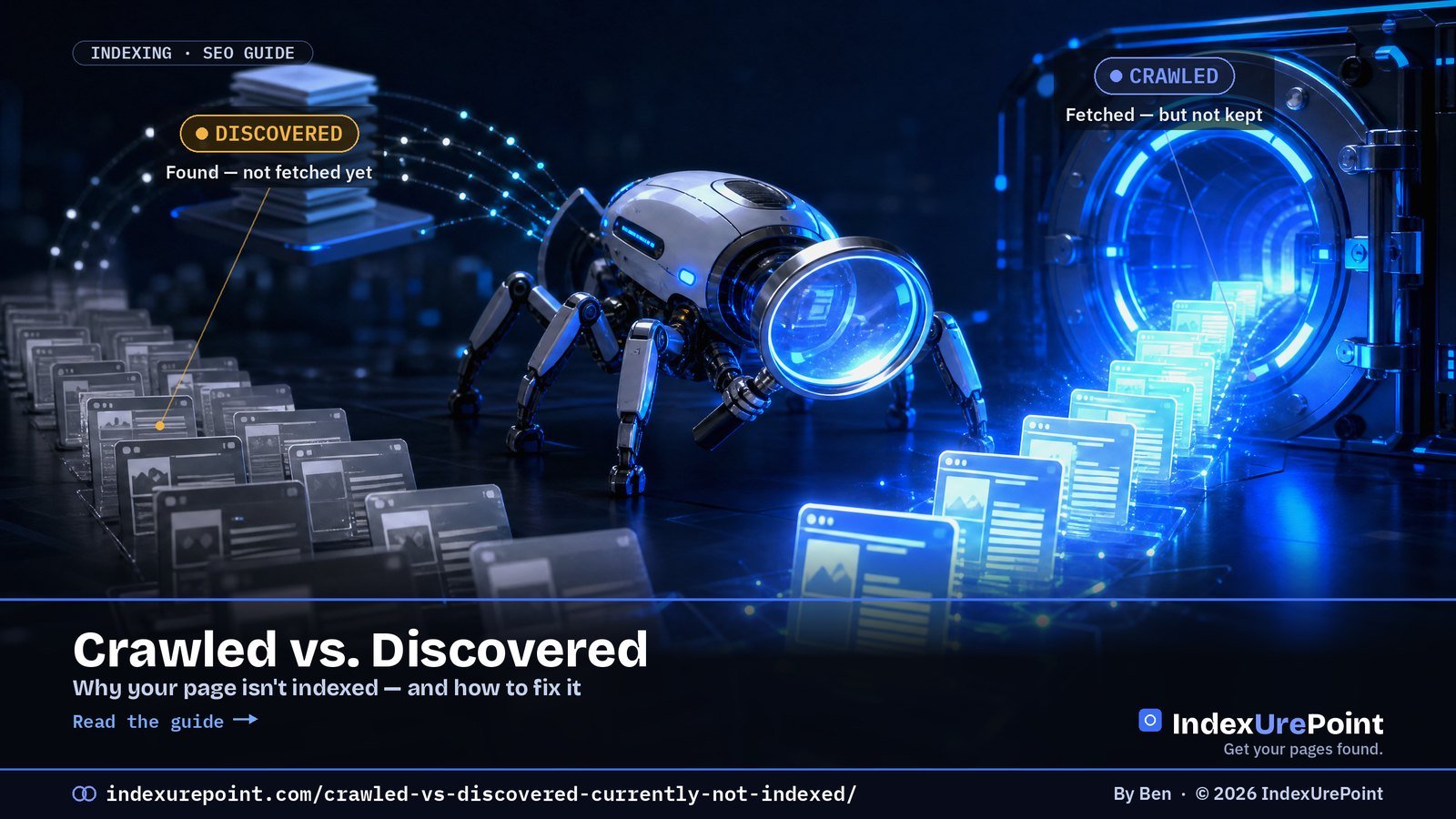
    “Discovered – currently not indexed” means Google found your URL but never fetched it; “Crawled – currently not indexed” means Google fetched the page and declined to keep it. That one difference — fetched or not — decides which fix will work.

    Key takeaways
    • Discovered = a discovery/priority problem: fix it with internal links and crawl priority, not content changes.
    • Crawled = a value problem: Google saw the page and passed. Improve or consolidate the content.
    • Google itself says indexing “can take anywhere from a few days to a few weeks” — on new sites, waiting is often the right move.
    • In Reddit threads we reviewed, pages sit stuck from 2.5 weeks to 3+ months; one programmatic site had 29 pages unfetched after 8+ months of sitemap submission.
    • The most-cited fix across r/SEO and r/bigseo is internal links from strong, already-indexed pages — not resubmitting in URL Inspection.
    How this was checked. Written against Google’s own Search Central documentation and cross-checked with real practitioner threads on r/SEO, r/bigseo and r/TechSEO. Where the community and the docs disagree, we say so.
    Short answer

    “Discovered – currently not indexed” means Google knows your URL exists but hasn’t crawled it yet — usually a crawl-budget or low-priority signal. The page was never fetched.

    “Crawled – currently not indexed” means Google did fetch the page and then chose not to index it — usually a quality, duplication, or thin-value signal.

    That one difference — fetched or not — decides your fix. Discovered is a discovery/priority problem; Crawled is a value problem.

    The one difference that changes your fix

    Both statuses live in the same Google Search Console report, and people treat them as the same problem. They aren’t. The wall between them is a single question: did Googlebot actually fetch the page?

    DISCOVERED

    Found, not fetched

    What it means: Google saw the URL (in your sitemap or a link) but hasn’t crawled it. It’s sitting in a queue.

    CRAWLED

    Fetched, not kept

    What it means: Google crawled the page, evaluated it, and decided it wasn’t worth adding to the index — yet.

    Get this right and everything downstream gets simpler. Chasing “crawl budget” when your real problem is thin content wastes weeks — a point practitioners on r/bigseo make repeatedly about pages “stuck for 8+ weeks” that no amount of re-submitting fixes.

    Which one do you have? A 30-second decision

    Open the page’s status in GSC. Which label does it show?
    Discovered → priority problem
    1. Is the URL reachable in ≤3 clicks from your homepage?
    2. Does it sit in your sitemap and get internal links?
    3. Is your server fast and error-free in the logs?
    Crawled → value problem
    1. Is the content substantially unique vs. other pages?
    2. Does it answer a real query better than what ranks now?
    3. Is it canonical, or a near-duplicate of another URL?

    Answer the three questions in your column. Each “no” is a lever you can pull — in the order they’re listed.

    Fixes that actually work (and the order to try them)

    If it’s Discovered — make the page easy and worth reaching

    • Add internal links from strong, already-indexed pages. This is the single most-cited fix in practitioner threads: a link from a page Google already trusts pulls the stuck URL into the crawl queue faster than re-submitting ever will.
    • Flatten the click depth. Pages buried 5+ clicks deep read as low-priority. Surface them from hubs and category pages.
    • Check your server logs for crawl waste. If Googlebot is burning its budget on parameter URLs, faceted filters, or 5xx errors, your good pages starve. Block the junk in robots and fix the errors.

    If it’s Crawled — give Google a reason to keep it

    • Raise the page’s unique value. Add first-hand detail, data, or a clearer answer than the current top results. “Crawled – not indexed” is often Google saying we already have this.
    • Consolidate thin or near-duplicate pages. Ten shallow pages that each get rejected are worse than one strong page. Merge and redirect.
    • Fix canonical confusion. If two URLs look the same to Google, it keeps one and drops the other. Make your canonicals explicit. See our full canonical guide.
    • Then — and only then — request indexing. Use URL Inspection sparingly once the page genuinely deserves it. Re-submitting a weak page changes nothing.
    The uncomfortable truth practitioners keep landing on
    On r/SEO the recurring conclusion is that persistent “crawled – not indexed” on an otherwise healthy site usually isn’t a technical glitch — it’s Google’s read on content quality or domain authority. The fix is rarely a button; it’s the page being worth indexing.

    The Indexing-API “trick” — why it’s tempting, and why it can backfire

    You’ll find guides (and Reddit threads) showing how to force pages in via Google’s Indexing API — a step-by-step with a service account and a batch of URLs. It can work in the short term. But two things are true and usually left out:

    • Google’s own docs say the Indexing API is only for JobPosting and BroadcastEvent pages. Using it for ordinary posts is off-label.
    • Google has added an explicit spam warning to that documentation. Abuse can cost you far more than the pages were worth.
    Our take
    Treat the Indexing-API route as a red flag, not a shortcut. If a page needs a workaround to get indexed, that’s a signal the page — or the site’s authority — isn’t there yet. Fix the cause.

    When “not indexed” is completely normal

    Not every unindexed URL is a problem. New sites and new pages sit in these statuses for days to a few weeks while Google gauges the site. If your page is a week old on a young domain, the honest answer is: keep publishing, keep earning links, and wait. Panic-submitting daily does nothing but make you anxious.

    Search Console status Did Googlebot fetch it? Root cause Fix that works
    Discovered – currently not indexed No Crawl priority / discovery Internal links, sitemap, reduce click depth
    Crawled – currently not indexed Yes Quality / duplication judgement Improve or merge content, fix canonicals
    Excluded by noindex Yes Your page says “stay out” Remove the noindex, recrawl
    Blocked by robots.txt No (not allowed) Crawl rule Fix the Disallow rule

    What do practitioners report actually worked?

    We put the Reddit threads behind this guide through a structured source review (via NotebookLM, September 2026). Across r/SEO, r/bigseo, r/TechSEO and r/localseo, five fixes come back again and again as the ones that actually moved stuck pages:

    • Internal links from strong pages. “I had this issue until I added more internal linking.” (r/SEO)
    • A slight slug change, which makes Google treat the URL as new: “The only way I have to fix them is a slight slug edit.” (r/bigseo)
    • A few backlinks to the stuck page: “Just sent a couple of backlinks to the page and it was fixed.” (r/SEO)
    • Fixing page speed. One site owner with 2–3 minute load times: “I added a lazy load images code… about 3 days later, all the pages were indexed again.” (r/SEO)
    • The Indexing API — one r/TechSEO test reported 94% indexed within 48 hours versus 8.4% via the sitemap. It works short-term, but it’s outside Google’s rules for normal pages; we explain the risk in our Indexing API guide.

    The scale varies wildly: threads describe 3 stuck pages on a local-business site, 29 on a programmatic site after 8+ weeks, and 8,000 flagged on a news site. And the frustration with generic advice is real — “Anyone solved this beyond ‘earn backlinks and wait’?” (r/bigseo). That’s exactly why the split above matters: first determine which status you have, then apply the fix that matches it.

    Is it crawl budget? On sites under about 10,000 pages, almost never. Google’s own thresholds are in crawl frequency and crawl budget explained.

    Timing matters. A sudden jump in this status right after a Google update can be algorithmic — see our coverage of the September 2026 spam update.

    FAQ

    How long should I wait before worrying?

    On an established site, a genuinely valuable page usually indexes within days to two weeks once it’s linked internally. On a brand-new domain, several weeks is normal. Worry when a well-linked, high-value page stays stuck past ~3–4 weeks. See typical indexing timeframes.

    Does “crawled – currently not indexed” fix itself?

    Sometimes — Google re-evaluates over time. But if the cause is thin or duplicate content, waiting won’t help. Improve the page’s value first, then let Google recrawl.

    Will a paid indexing service fix it?

    Rarely, and not durably. Those services mostly help get backlinks discovered, not your own thin pages accepted. If Google crawled your page and declined it, paying to ping it again doesn’t change its judgement. We cover which services do what — honestly — in our reviews.

    Is “Discovered” or “Crawled” the worse problem?

    Neither is inherently worse — they’re different jobs. Discovered is usually the easier fix (linking, crawl budget). Crawled means Google already judged the page, so it can take more work.

    What is the difference between Discovered and Crawled currently not indexed?

    Discovered means Google knows the URL exists but has not fetched it yet, which is a crawl-priority problem. Crawled means Google fetched and evaluated the page but chose not to index it, which is a content-value problem.

    Does changing the URL slug really get a page indexed?

    Practitioners on r/bigseo report that a slight slug edit can work because Google treats the new URL as a fresh page. It is a workaround, not a fix: the underlying quality or priority issue usually remains.

    How many pages stuck in these statuses is normal?

    On large or programmatic sites, hundreds or thousands of excluded URLs can be normal. Worry when well-linked pages you actually want to rank stay stuck past three to four weeks on an established site.

    iP
    IndexUrePoint is an independent guide to getting your pages found and indexed — Google, Bing, and AI search. We test tools ourselves and say plainly when something doesn’t work. Spotted an error? Tell us via the contact page; we’ll fix it and note the date.