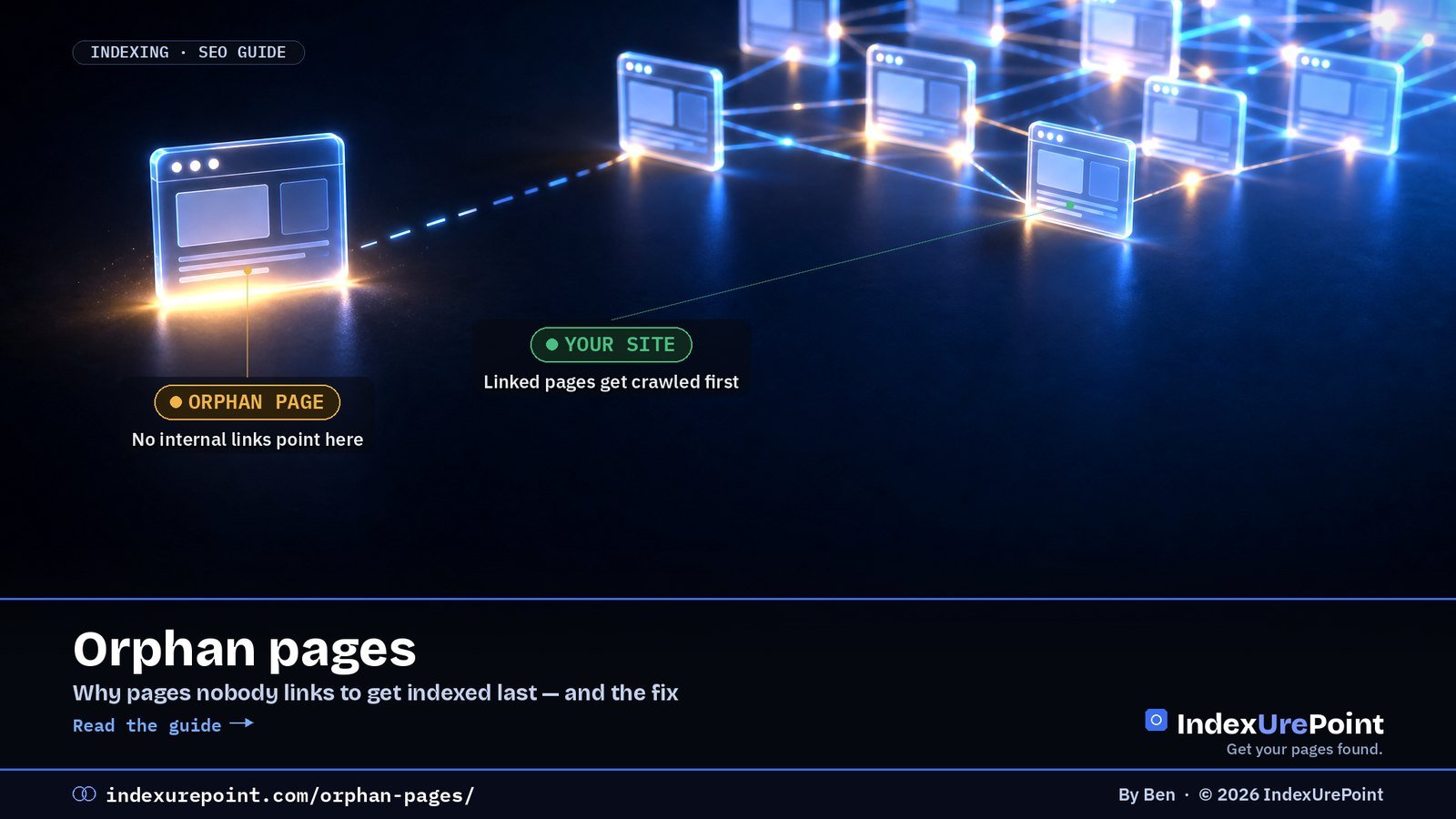
An orphan page is a page no other page on your site links to: visitors cannot click their way there, search engines find it late through the sitemap at best, and it typically indexes last — the fix is simply linking to it.
- Internal links are importance signals; a page with none looks dispensable even when the content is strong.
- Orphans are a classic driver of “Discovered – currently not indexed”: known URL, never prioritised.
- Find them by comparing your sitemap URL list with a crawl that follows links from the homepage.
- A sitemap alone is discovery, not endorsement — it does not replace links.
- Rule of thumb: every new page launches with at least one contextual link from an indexed page.
An orphan page is a page on your site that no other page links to. Visitors can’t click their way to it, and search engines can only find it through your sitemap or an outside link — so it’s often crawled late and indexed last.
The fix is simple: link to it from relevant, already-indexed pages — or, if it’s not worth linking to, remove or redirect it.
Why orphan pages hurt
Easy to find
Signals: crawled regularly, receives link value, clearly part of the site.
Out on its own
Signals: low priority, little link value, often stuck in Discovered – currently not indexed.
Internal links tell Google what matters on your site. A page nothing links to looks unimportant, even if it’s your best work.
How to find orphan pages
- Compare two lists: all URLs in your XML sitemap versus all URLs a crawler finds by following links from your homepage. URLs in the first list but not the second are orphans.
- Use a site crawler such as Screaming Frog, Sitebulb or Bing Webmaster Tools’ Site Scan, and connect it to your sitemap or Search Console data where supported.
- Check Search Console: pages with impressions or in the indexing report that your crawl never reached.
- Common culprits: old landing pages, pages removed from menus, tag pages, and posts only reachable through paginated archives.
| Orphan found | Verdict | Action |
|---|---|---|
| Good page, just unlinked | Keep | 2–3 contextual links from related pages |
| Outdated or duplicate | Merge | Consolidate + 301 to the stronger page |
| Obsolete, no equivalent | Remove | 404/410 + drop from sitemap |
| Utility page (thanks, filters) | Exclude | noindex; no links needed |
How to fix them
- Worth keeping? Add contextual links from two or three related, indexed pages, and consider a hub or category page that links to the whole topic.
- Outdated or duplicate? Merge it into a stronger page and 301-redirect it — see page with redirect.
- Not needed at all? Delete it, return a 404 or 410, and remove it from the sitemap.
Every new page should launch with at least one link from an existing, indexed page. It’s the single most reliable way to speed up indexing — more reliable than any submit button.
A worked example
A typical case from our own audits: a site moves to a new menu, and twelve older guides drop out of it. They stay in the sitemap, so Search Console still knows them — but months later most sit in “Discovered – currently not indexed” or have slid down the rankings. The repair took an afternoon: each old guide got two contextual links from the newer articles that superseded parts of it, plus a place on a topic hub page. Within weeks the majority were recrawled. The lesson is that orphaning rarely happens on purpose; it happens when navigation changes and nobody checks what fell out. Make “what stopped being linked?” a standard question after every redesign.
FAQ
Can orphan pages still be indexed?
Yes, if Google finds them through your sitemap or external links. But they tend to be crawled less often and are more likely to be left out.
Is a sitemap enough to avoid orphan pages?
No. A sitemap helps discovery, but it doesn’t give the page the importance signals that internal links do.
How many internal links does a page need?
There’s no magic number. A few relevant links from strong, related pages matter more than many links from unrelated ones.
Do links in the footer or sidebar count?
They help discovery, but contextual links in the main content are clearer signals of relevance.
Are orphan pages bad for SEO overall?
They dilute crawl attention and leave value stranded, but they are not a penalty. Each one is either a linking opportunity or cleanup.
Can external backlinks save an orphan page?
They help discovery and authority, but internal links remain the signal that the page belongs to your site’s structure. Do both.